
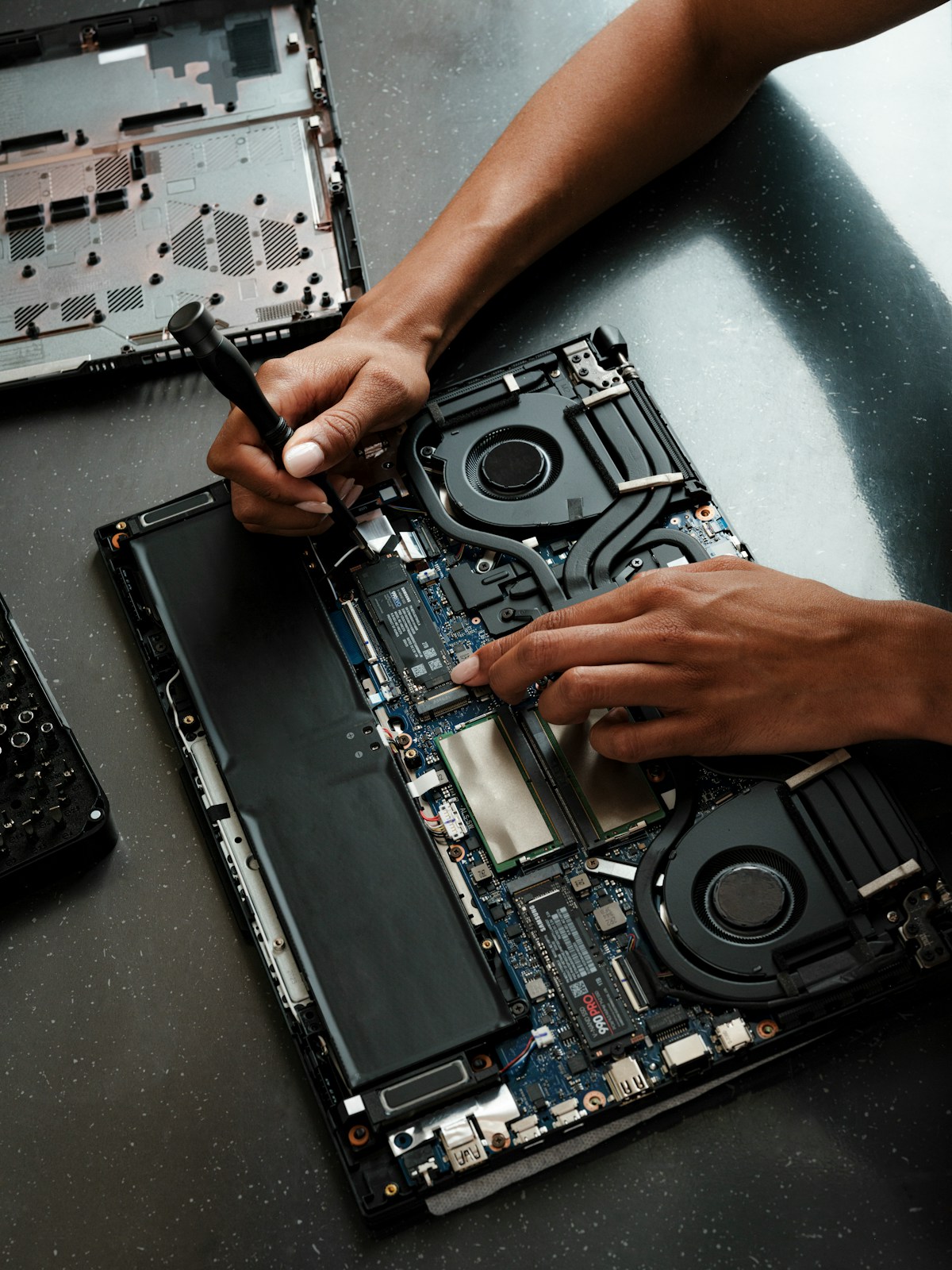
CompTIA A+ has a reputation for being “the easy one,” the certification people mention almost dismissively on their way to talking about Network+ or Security+. That reputation causes more failed first attempts than almost any other factor. A+ is not conceptually hard, but it is enormous in scope, covering everything from motherboard form factors to mobile device configuration to basic scripting to customer service scenarios, and candidates who underestimate that breadth walk into the exam having genuinely studied, just not studied the right amount of the right things.
This guide breaks down exactly what the two exams cover, how to approach the hands-on troubleshooting focus that makes A+ different from a pure memorization test, and a realistic timeline that respects how much ground there actually is to cover.
Core 1 and Core 2: What Each A+ Exam Covers
CompTIA A+ is split into two separate exams, and you need to pass both to earn the certification. They are not simply “hardware exam” and “software exam,” though that is a useful rough mental model to start with.
Core 1 (220-1201): The Hardware and Infrastructure Half
Core 1 focuses primarily on the physical and networking side of IT support:
- Mobile devices: laptops, tablets, and their specific hardware considerations
- Networking: cabling, connectors, network devices, wireless standards, and basic network troubleshooting
- Hardware: motherboards, CPUs, RAM, storage devices, power supplies, peripherals, and how to identify and replace them
- Virtualization and cloud computing: basic concepts of virtual machines, cloud service models, and cloud characteristics
- Hardware and network troubleshooting: applying a systematic methodology to diagnose physical and connectivity issues
Core 2 (220-1202): The Software, Security, and Operational Half
Core 2 shifts focus to operating systems, security, and the “soft” professional skills that make up real IT support work:
- Operating systems: Windows administration in depth, plus macOS, Linux, Android, and iOS basics
- Security: malware types and removal, wireless security protocols, physical security, and social engineering awareness
- Software troubleshooting: diagnosing OS, application, and security-related software issues
- Operational procedures: documentation, change management, safety procedures, and professional communication and customer service
| Core 1 (220-1201) | Core 2 (220-1202) | |
|---|---|---|
| Main focus | Hardware, mobile devices, networking | OS, security, software, procedures |
| Question style | More identification and troubleshooting scenarios | More “best practice” and procedural scenarios |
| Common weak spot for newcomers | Networking terminology and cabling standards | Command-line syntax across multiple OS |
A common mistake is treating the two exams as equally weighted in study time when your background is not equally strong in both. If you have tinkered with hardware your whole life but never touched a Linux command line, Core 2 deserves disproportionately more of your study hours, and vice versa. Do a quick honest self-assessment against both objective lists before building your schedule, rather than assuming a 50/50 split is automatically right for you.
Hardware and Software Troubleshooting: The Practical Focus of A+
What makes A+ genuinely different from a pure knowledge-recall certification is that a large share of both exams is built around applying a troubleshooting methodology to realistic scenarios, not just naming parts or definitions. CompTIA publishes an official troubleshooting methodology, and internalizing it is worth more than memorizing any single hardware spec sheet.
The CompTIA Troubleshooting Methodology
- Identify the problem, gather information, question the user, identify symptoms, and determine if anything changed recently
- Establish a theory of probable cause, start with the obvious and most common cause before jumping to exotic explanations
- Test the theory to determine cause, confirm before you act, and if the first theory is wrong, form a new one rather than guessing randomly
- Establish a plan of action and implement the solution, including researching the issue if needed
- Verify full system functionality and, if applicable, implement preventive measures
- Document findings, actions, and outcomes, this step is genuinely tested and genuinely matters in real IT work, not just as an exam formality
This sequence shows up constantly in scenario-based questions on both exams. When you see a troubleshooting question, resist the urge to jump straight to “what’s the fix” and instead mentally walk through where in this sequence the question is actually asking you to act. A surprising number of wrong answers on practice exams come from skipping straight to a plausible-sounding fix without going through proper identification and theory-testing first, exactly the same mistake a real technician makes when they guess instead of diagnosing.
Get Genuine Hands-On Exposure, Not Just Reading
Because so much of A+ tests practical competence, reading alone leaves real gaps that show up as hesitation on performance-based questions (the simulation-style questions CompTIA includes on both exams). A few ways to build real hands-on exposure without needing a professional IT job:
- Take apart an old computer (or borrow one) and identify every component by sight, not just by picture in a textbook
- Build a simple home lab using a spare machine or virtual machines to practice OS installation, user account configuration, and basic networking setup
- Practice command-line navigation in both Windows Command Prompt/PowerShell and Linux terminal, since both exams test command syntax and this is exactly the kind of thing that is easy to recognize but hard to recall cold without practice
- Use CompTIA’s official performance-based question examples to get comfortable with the simulation format specifically, since it is unlike standard multiple choice and benefits from direct practice
Study Resources and Realistic Timeline for CompTIA A+
Given the exam’s breadth, a realistic study timeline for most beginners without a strong existing IT background is 8 to 12 weeks per exam, so roughly 4 to 6 months total if studying part-time alongside work or school. Candidates with some existing hands-on tech experience can often compress this meaningfully, but underestimating the total scope is the single most common cause of a failed first attempt.
A Sample Weekly Structure
- Weeks 1-2: Survey the full Core 1 objectives list, building a rough mental map of every domain before going deep on any one
- Weeks 3-7: Deep dive each domain in turn, combining reading, video content, and hands-on practice, weighted toward your weaker areas
- Week 8: Full-length practice exams, reviewing every wrong answer’s explanation, then targeted review of weak domains
- Repeat the same structure for Core 2 once Core 1 is scheduled or passed
Resources Worth Prioritizing
Official CompTIA study guides and the CompTIA CertMaster practice question bank are the most exam-aligned resources available, since they are built directly from the current objectives. Beyond that, video courses from well-regarded A+ instructors are excellent for building intuition around hardware you may not have physically handled, and a dedicated practice question bank with detailed explanations is non-negotiable, since, like most CompTIA exams, A+ leans heavily on scenario-based reasoning that pure reading does not fully prepare you for.
It is worth being deliberate about which resource does which job, rather than working through several of them in parallel and hoping it all averages out. Use a structured guide or course for your first pass through each domain, since you need a coherent narrative to hang the details on before drilling starts. Use flashcards for the sheer volume of discrete facts, port numbers, connector names, command syntax, that do not have much conceptual structure to lean on and are best handled through repetition. And save full-length practice exams for later in your timeline specifically, since taking them too early, before you have real domain coverage, mostly just teaches you to recognize your own guesses rather than the material itself.
A Note on Certification Paths Beyond A+
If A+ is your entry point into IT rather than a standalone goal, it is worth glancing ahead at what typically follows, because it can shape a few study choices now. Network+ builds directly on the networking objectives from Core 1, and Security+ builds on the security fundamentals introduced in Core 2. Candidates who plan to pursue either fairly soon after A+ often find it worth spending slightly extra time on those specific sections now, since the foundational vocabulary carries forward directly and makes the next certification meaningfully faster to study for.
Making the Breadth Manageable
The sheer number of discrete facts across both exams, connector types, port numbers, Windows editions, malware categories, command syntax, is exactly the kind of material that is easy to study once and then quietly forget by the time your exam date arrives weeks later. Rather than re-cramming this breadth right before test day, spacing your review of these fact-heavy sections out over your whole study window keeps them genuinely retained rather than temporarily memorized. Turning your domain notes and missed practice questions into flashcards reviewed on a spaced schedule, using a tool like LongTerMemory to automate the flashcard creation from your own study materials, is a practical way to keep months of hardware specs and command syntax fresh without having to manually re-review everything from scratch as exam day approaches.
The Bottom Line
CompTIA A+ earns its reputation as a foundational certification not because it is trivial, but because it covers an unusually wide slice of real-world IT support work in a single credential. Respect the breadth, split your study time honestly between your stronger and weaker halves, internalize the troubleshooting methodology rather than just memorizing components, and give yourself a realistic multi-month runway rather than a rushed few weeks. Do that, and the “easy one” reputation starts to feel earned, not because you got lucky, but because you actually covered the ground it takes.