How to Use Claude AI as a Study Assistant
Learn how to use Claude AI as a study assistant: the best prompts for practice questions, Socratic dialogue, and how it compares to ChatGPT for exam prep.
Table of Contents
- Why Claude Works Differently as a Study Tool
- The Best Prompts for Using Claude to Generate Study Questions
- Using Claude for Socratic Dialogue and Concept Explanation
- Turning Confusion Into a Diagnostic Tool
- How Claude Compares to ChatGPT for Academic and Certification Study
- Where AI Chat Tools Fall Short for Studying
- A Simple Weekly Workflow
- The Bottom Line
A few years ago, “using AI to study” mostly meant asking a chatbot to summarize a chapter and hoping for the best. The tools have gotten a lot more capable since then, and Claude in particular has quietly become one of the more useful study companions available, not because it hands you answers, but because it is unusually good at the kind of back-and-forth reasoning that actually builds understanding.
The catch is that most people use it wrong. They treat it like a search engine with better grammar, ask it a factual question, copy the answer, move on. That is not studying, that is outsourcing. Used well, Claude can function much more like a patient, endlessly available study partner who never gets tired of quizzing you, never judges you for asking the same question three different ways, and can adapt its explanations on the fly based on what you clearly do and don’t understand.
Here is how to actually get that value out of it.
Why Claude Works Differently as a Study Tool
Claude tends to produce longer, more structured, more carefully reasoned responses than a lot of alternatives, and it is genuinely good at holding a multi-turn conversation without losing the thread of what you are trying to learn. That combination matters for studying specifically, because learning is rarely a single-question, single-answer process. It is iterative. You ask something, get a partial answer, realize you’re confused about a sub-point, ask a follow-up, and gradually build a clearer mental model.
The practical implication is that you should not treat a Claude conversation as a series of disconnected questions. Treat it as a single sustained study session, where each message builds on the last, the same way a good conversation with a tutor would.
The Best Prompts for Using Claude to Generate Study Questions
The single highest-leverage way to use Claude for studying is to have it generate retrieval practice questions from your own material, rather than having it explain things to you passively. Reading an AI-generated summary feels productive but does very little for long-term retention. Testing yourself on questions generated from your notes does a lot more.
A few prompt patterns that consistently work well:
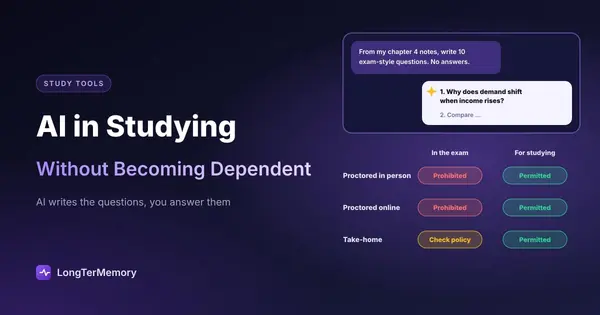
For basic recall questions: “Here are my notes on [topic]. Generate 15 short-answer questions that test whether I actually understand this material, not just whether I can recognize the vocabulary. Don’t give me the answers yet, I’ll answer first.”
For harder, application-style questions: “Based on this material, write 5 scenario-based questions that require me to apply these concepts to a new situation, similar to how [your exam, e.g. the USMLE, the bar exam, a certification exam] would test it.”
For weak-spot targeting: “I got these three practice questions wrong: [paste them]. Don’t just explain the right answers, ask me follow-up questions that test whether I now actually understand the underlying concept, not just this specific question.”
The pattern across all of these is the same: you are asking Claude to put the retrieval burden on you, not to do the retrieving for you. That distinction is the whole game.
Using Claude for Socratic Dialogue and Concept Explanation
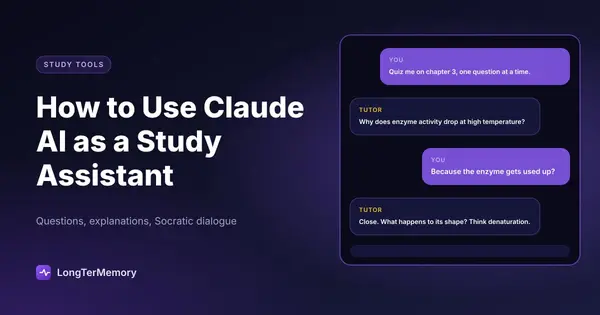
One of Claude’s genuinely distinctive strengths as a study tool is how well it handles Socratic-style dialogue, where instead of explaining a concept outright, it walks you toward the answer through guided questions.
This matters more than it might sound like it does. There is a well-documented gap between “reading an explanation and nodding along” and “actually being able to reconstruct that reasoning yourself.” Socratic dialogue closes that gap because it forces you to do the intellectual work of connecting ideas, with Claude nudging you back on track when you go sideways, rather than just handing you the finished thought.
Try a prompt like: “I’m trying to understand [concept]. Instead of explaining it directly, ask me a series of guiding questions that will help me figure it out myself. Only give me the direct explanation if I get stuck after a couple of attempts.”
This works particularly well for conceptual subjects like philosophy, economics, physics, or anything involving multi-step reasoning, where the process of arriving at an idea is as important as the idea itself.
Turning Confusion Into a Diagnostic Tool
Another underused technique: when you are confused about something, instead of asking Claude to “explain it again,” ask it to explain your own explanation back to you and identify where the reasoning breaks down. This is essentially an AI-assisted version of the Feynman technique, and it is remarkably effective at pinpointing the exact spot where your understanding gets fuzzy, which is usually far more specific than “I don’t get this topic.”
How Claude Compares to ChatGPT for Academic and Certification Study
Both tools are genuinely useful, and for a lot of casual studying, either will serve you fine. That said, there are some consistent differences worth knowing about.
| Factor | Claude | ChatGPT |
|---|---|---|
| Long-document handling | Strong, handles lengthy notes/PDFs well in a single context | Strong, comparable for most study document lengths |
| Multi-turn reasoning consistency | Tends to stay well-anchored across long study sessions | Generally strong, can vary by model tier |
| Writing style for explanations | Tends toward structured, thorough, less “listicle-heavy” | Tends toward punchier, more skimmable formatting |
| Socratic/guided questioning | Particularly strong when explicitly prompted for it | Also capable, results vary more by prompt specificity |
| Ecosystem integrations | Growing, project-based organization is useful for ongoing courses | Broader plugin/app ecosystem |
The honest takeaway is that the differences between frontier AI models matter less than how you prompt them. A vague prompt to either tool produces a mediocre result. A specific, retrieval-oriented prompt produces something genuinely useful with either one. If you already have a subscription to one or the other, there is rarely a compelling reason to switch tools rather than improve your prompting.
Where AI Chat Tools Fall Short for Studying
It is worth being honest about the limits here, because over-relying on any chatbot for studying creates real problems.
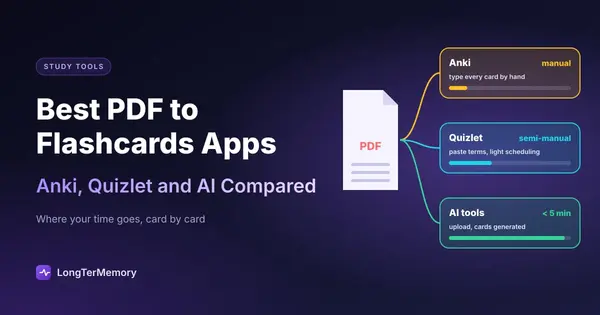
AI conversations don’t track what you’ve forgotten over time. You can have a brilliant, clarifying conversation with Claude about a concept on Tuesday and have completely forgotten the specifics by the following Tuesday if nothing brings it back to your attention. Chat-based tools are excellent for the initial understanding phase of learning, but they are not built to manage the long-term review schedule that turns understanding into durable memory. That is a fundamentally different problem, one of timing and repetition rather than explanation.
There’s no persistent tracking of your weak spots. Unless you are disciplined about saving and revisiting past conversations, insights from a great study session tend to evaporate. You walk away feeling like you understand something, which is exactly the fluency illusion that makes passive review feel more effective than it actually is.
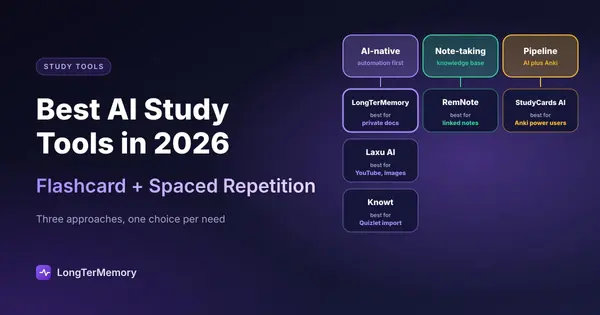
This is where it makes sense to pair a conversational AI tool with something purpose-built for spaced repetition. A practical workflow that works well for a lot of learners: use Claude to build understanding and generate practice questions from your notes, then feed those questions and your own notes into a dedicated spaced repetition system like LongTerMemory, which automatically schedules review at the intervals that actually cement long-term retention. Claude handles the “getting it” phase. A spaced repetition system handles the “not forgetting it three weeks later” phase. Used together, they cover both halves of the studying problem that neither one fully solves on its own.
A Simple Weekly Workflow
If you want a concrete starting point rather than a scattered list of tips, here is a workflow that combines everything above into a repeatable weekly routine:
- After each study session, paste your notes into Claude and ask for 10 to 15 retrieval-practice questions.
- Attempt every question yourself first, resisting the urge to peek at explanations.
- For anything you got wrong, use the Socratic prompt style to work through your misunderstanding rather than just reading the correct answer.
- Export the questions and your notes into a spaced repetition tool so they get scheduled for ongoing review, not just reviewed once and forgotten.
- Repeat weekly, layering new material on top of what is already in your review rotation.
The Bottom Line
Claude is a genuinely capable study assistant, but its value depends entirely on how you use it. Ask it for answers and you get a slightly better search engine. Ask it to quiz you, challenge your explanations, and walk you through concepts using guided questions, and you get something closer to an on-demand tutor that adapts to exactly where your understanding breaks down.
Pair that with a system that actually manages your long-term review schedule, and you have covered both halves of what effective studying requires: building real understanding, and making sure it is still there when you need it.