How to Study for Linux Foundation Certifications
A practical guide to preparing for LFCS and LFCE exams with hands-on labs, spaced repetition, and a realistic study timeline.
Table of Contents
- LFCS vs. LFCE: Which Certification Fits Your Level
- Why Hands-On Practice Is Non-Negotiable
- Building Your Lab Environment
- A Realistic Study Timeline
- Using Spaced Repetition for Linux Facts
- Common Mistakes That Waste Time
- Resources Worth Your Time
- How to Structure a Typical Study Session
- What to Do in the Final Week
- The Bottom Line
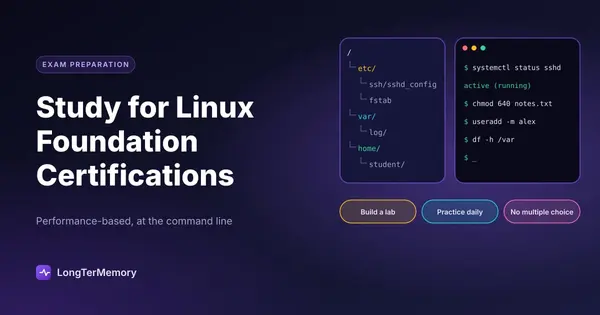
Linux runs the internet. It powers the cloud, the servers behind your favorite apps, and a huge percentage of enterprise infrastructure. So when the Linux Foundation offers certifications like the Linux Foundation Certified Sysadmin (LFCS) and the Linux Foundation Certified Engineer (LFCE), employers pay attention. These exams are not theory tests. They are performance-based, hands-on assessments that prove you can actually operate Linux systems under pressure.
That also means they are not the kind of exams you can pass by reading a book once and hoping for the best. You need to type commands, fix real problems, configure services, and troubleshoot live scenarios. If you are preparing for a Linux Foundation certification, the good news is that the path is straightforward. The bad news is that it demands consistent practice and a willingness to get your hands dirty.
This guide walks you through exactly how to study for Linux Foundation certifications, from choosing the right exam to building a lab environment and using spaced repetition to lock in the facts you cannot afford to forget.
LFCS vs. LFCE: Which Certification Fits Your Level
The first decision is simple but important. The LFCS is designed for system administrators who need to configure, manage, and troubleshoot Linux systems. The LFCE is more advanced and focuses on engineering-level tasks like network services, security, and automation across multiple systems.
If you are relatively new to Linux system administration, start with the LFCS. It covers the foundational skills every Linux admin needs: command line navigation, file systems, user management, package installation, process control, networking basics, and basic security. Most candidates with six to twelve months of hands-on Linux experience can realistically prepare for LFCS in eight to twelve weeks.
The LFCE assumes you already have that foundation and pushes deeper. You will be expected to configure web servers, DNS, mail, firewalls, storage solutions, and high-availability setups. It is the right choice if you have already passed LFCS or if you have a couple of years of professional Linux experience and want to validate your engineering skills.
Here is a quick comparison to help you decide.
| Feature | LFCS | LFCE |
|---|---|---|
| Target role | System administrator | Linux engineer |
| Experience level | Intermediate | Advanced |
| Exam format | Performance-based, command line | Performance-based, command line |
| Main focus | Single-system administration | Multi-system engineering and services |
| Typical prep time | 8 to 12 weeks | 12 to 20 weeks |
| Prerequisites | None | LFCS recommended |
Choosing the right exam saves you from either wasting time on material you already know or drowning in concepts that are too advanced. Be honest about your current skill level.
Why Hands-On Practice Is Non-Negotiable
You cannot memorize your way through a Linux Foundation exam. The questions do not ask you to recite configuration file locations. They give you a broken system or a task to complete, and you have to fix it or build it live.
This means your study sessions need to happen at a terminal, not just in a textbook. Every concept you learn should be followed immediately by doing it yourself. Read about user management, then create users and groups. Read about file permissions, then break them and fix them. Read about systemd, then start, stop, enable, and troubleshoot services.
The best candidates treat their study lab like a sandbox they are allowed to destroy. Break things on purpose. Change a config file to something invalid and see what error appears. Delete a user and try to recover. These small experiments build the troubleshooting instincts that the exam rewards.
A 2023 survey of Linux certification candidates found that those who spent at least 60 percent of their study time in a live lab passed at roughly twice the rate of those who focused primarily on reading and video courses. The reason is simple. The exam tests procedural memory, the kind of knowledge you only build by doing.
Building Your Lab Environment
You have several options for a practice lab, and the right one depends on your budget and preferences.
Local virtual machines are the most flexible. You can install CentOS, Ubuntu Server, Debian, or openSUSE in VirtualBox, VMware Workstation, or KVM. Set up two or three VMs so you can practice networking and multi-system tasks. This option is free if you already have a computer with enough RAM, but it requires more setup.
Cloud instances work well if you do not want to manage local virtualization. Providers like AWS, Google Cloud, and DigitalOcean offer cheap Linux VMs that you can spin up and tear down. This is especially useful for LFCE candidates who need to practice with multiple systems and external networking.
Online labs and practice exams are available through the Linux Foundation and third-party providers. These give you a preconfigured environment that closely mimics the real exam interface. They are the most convenient option but also the most expensive.
| Lab option | Cost | Best for |
|---|---|---|
| Local VMs | Free | Maximum control, offline practice |
| Cloud instances | Low per-hour cost | Multi-system networking scenarios |
| Linux Foundation labs | Included with some courses | Exam-like environment |
Whichever option you choose, build the lab before you do anything else. Your entire study plan depends on having a place to practice.
A Realistic Study Timeline
Most candidates underestimate how long hands-on certification prep takes. You are not just reviewing facts. You are building muscle memory for dozens of commands and workflows.
A solid LFCS timeline looks like this.
Weeks 1 to 3: Core command line and file systems. Focus on navigation, file manipulation, text processing tools like grep, sed, and awk, file permissions, package management, and basic shell scripting. Do every command yourself at least five times.
Weeks 4 to 6: Users, processes, and networking. Cover user and group management, PAM, process control, cron, system logging, network configuration, firewalls, and DNS client setup. Build scenarios where services fail and you must diagnose them.
Weeks 7 to 9: Storage and services. Practice partitioning, LVM, filesystem creation and repair, swap management, and common services like SSH, HTTP, and NTP. Make sure you understand how to start from a blank system and end with a working service.
Weeks 10 to 12: Review and mock exams. Take full-length practice exams under timed conditions. Identify weak areas and drill them. Do not introduce new topics in the final week.
For LFCE, extend the timeline to at least twelve to twenty weeks and allocate more time to advanced networking, security hardening, storage solutions, and automation with Ansible or shell scripts.
Using Spaced Repetition for Linux Facts
Hands-on practice handles the procedural side of Linux, but there are still facts worth memorizing. Port numbers, default configuration file paths, systemd unit locations, SELinux contexts, and command flags do not need to be guessed in the exam. They need to be automatic.
This is where spaced repetition becomes valuable. Instead of rereading a list of ports every few days, you turn them into flashcards and review them on a schedule that moves well-known facts further into the future and brings struggling facts back sooner.
You can build these cards manually, but if you are already working from PDF study guides, lecture notes, or official documentation, a tool like LongTerMemory can generate question-and-answer cards directly from your materials. Upload your Linux Foundation course PDFs or notes, and the system creates cards that test both recall and application. This saves you the hours you would otherwise spend copying commands into a flashcard app.
The key is to keep your cards specific. A bad card asks, “What is SSH?” A good card asks, “What is the default port for SSH, and which configuration file controls its settings?” Specific cards force specific recall, which is exactly what a performance-based exam requires.
Common Mistakes That Waste Time
One of the biggest mistakes Linux certification candidates make is spending too much time watching videos and not enough time typing commands. Videos are useful for getting oriented, but they create the illusion of competence. You understand the explanation while you watch, but that is very different from being able to execute the same steps yourself.
Another mistake is studying on only one distribution. The Linux Foundation exams are distribution-agnostic, but they lean toward systemd-based enterprise distributions. Practice on CentOS, Rocky Linux, AlmaLinux, or Ubuntu Server so you are comfortable with both RPM and DEB package management and both firewalld and ufw.
A third mistake is neglecting time management. The exam is timed, and you will not have time to look up every detail. During practice, use a timer. Force yourself to complete tasks within realistic windows. If you cannot set up a web server in under ten minutes during practice, you will not do it under exam pressure either.
Finally, do not ignore the exam objectives. The Linux Foundation publishes a detailed list of topics and their weight. Print it out and check off each item as you master it. If a topic is not on the official list, deprioritize it, no matter how interesting it seems.
Resources Worth Your Time
The Linux Foundation offers official training bundles that include video courses, labs, and exam vouchers. These are high quality but expensive. If your employer is paying, they are usually the best choice.
For self-starters, there are excellent free and low-cost alternatives. The Linux Foundation’s free edX introduction to Linux is a solid starting point. Red Hat’s documentation and Arch Wiki are surprisingly useful even if you are not using those distributions. Man pages and the official systemd documentation are essential references once you reach the practice stage.
YouTube channels that focus on Linux administration can fill gaps, but treat them as supplements, not replacements. The same goes for books. A good Linux administration book gives you structure, but the terminal is where the learning happens.
| Resource type | Examples | Best used for |
|---|---|---|
| Official training | Linux Foundation courses | Structured learning and exam vouchers |
| Free courses | edX Introduction to Linux | Building fundamentals |
| Documentation | Man pages, Arch Wiki, Red Hat docs | Quick reference during practice |
| Practice exams | Linux Foundation, third-party providers | Timing and exam simulation |
How to Structure a Typical Study Session
A productive Linux certification study session has three parts. First, ten to fifteen minutes of spaced repetition review for facts and commands. Second, sixty to ninety minutes of hands-on lab work focused on one exam objective. Third, fifteen minutes of reflection where you write down what you struggled with and what you want to practice next.
The reflection step is easy to skip, but it is where you turn random practice into deliberate improvement. If you keep a simple log of your weakest areas, you will know exactly what to practice in your next session instead of defaulting to whatever feels comfortable.
For the hands-on portion, avoid the temptation to copy commands from a guide without thinking. Instead, set a goal like “configure a web server with SSL” and try to do it from memory. When you get stuck, use man pages and official documentation rather than immediately looking up a tutorial. This builds the self-reliance the exam demands.
What to Do in the Final Week
The last week before the exam is not for learning new material. It is for consolidating what you already know. Run through the official exam objectives one more time. Take a final practice exam if you have one. Review your spaced repetition cards daily. Make sure your lab commands feel automatic.
Sleep matters more than last-minute cramming. A tired brain forgets commands and makes careless mistakes. The night before the exam, do something light like reviewing flashcards and then get a full night’s sleep.
On exam day, read each task carefully before typing. The Linux Foundation exams give you partial credit in some cases, so even if you cannot complete a task perfectly, attempt every part of it. A partially correct configuration is better than a blank one.
The Bottom Line
Linux Foundation certifications are valuable because they are hard. They prove you can do the work, not just talk about it. The path to passing is clear: build a lab, practice every objective hands-on, memorize the facts that need to be automatic, and use spaced repetition to keep those facts fresh.
If you want to speed up the memorization side of your prep, LongTerMemory can turn your Linux notes and PDFs into review cards automatically, so you spend less time creating flashcards and more time at the terminal where the real learning happens.
Start with the lab. Everything else follows from there.