How to Use Forest App to Study Without Phone Distraction
Discover how the Forest app helps students stay focused by gamifying phone-free study sessions, with tips to maximize your concentration and consistency.
Table of Contents
- What Is Forest?
- Why It Works: The Psychology Behind the App
- Sunk Cost and Loss Aversion
- Visual Progress and Completion
- Low Friction Commitment
- Social Accountability
- Setting Up Forest for Maximum Effectiveness
- Choose the Right Session Length
- Use the Whitelist Feature Strategically
- Link Forest to Your Study Schedule
- Using Forest with the Pomodoro Technique
- Forest with Friends: Group Study Mode
- Tracking Your Focus History
- Combining Forest with Other Focus Strategies
- How Forest Has Worked for Real Students
- The Real Trees
- Getting Started Today
Here’s an uncomfortable truth: the average person checks their phone more than ninety times a day. If you’re a student in the middle of an intense study session, that number doesn’t magically drop to zero. Your phone is sitting there, buzzing, glowing, pulling at your attention, and every time you pick it up to “just check one thing,” you lose somewhere between five and twenty minutes of focused work time. Not because you’re weak. Because smartphones are designed by some of the most talented engineers on the planet to be impossible to ignore.
Fighting that with willpower alone is a losing battle. What you need is a system that changes the incentive structure. That’s exactly what Forest does.
What Is Forest?
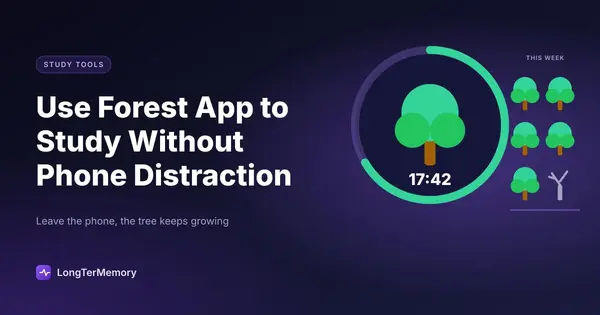
Forest is a focus app for iOS and Android that turns phone-free study sessions into a game. Here’s how it works:
- You plant a virtual tree
- You set a timer (anywhere from 10 to 120 minutes)
- You put down your phone and don’t touch it
- If you stay off your phone for the full session, your tree grows to completion
- If you pick up your phone and leave the app, your tree dies
Over time, your completed trees accumulate into a virtual forest that visually represents all the focused time you’ve invested. Each dead tree shows where you failed.
That’s the core mechanic. Simple, obvious, and yet remarkably effective.
The app also has a social component (you can grow forests with friends), real-world tree planting (Forest partners with Trees for the Future to plant real trees when you earn enough in-app currency), and a detailed statistics view showing your focus history over time.
Why It Works: The Psychology Behind the App
Forest succeeds where raw willpower fails for a few specific psychological reasons.
Sunk Cost and Loss Aversion
Once you’ve planted a tree and it’s been growing for fifteen minutes, picking up your phone feels like destroying something you’ve invested in. That feeling of potential loss is psychologically powerful. Loss aversion is one of the most well-documented phenomena in behavioral economics: the pain of losing something is roughly twice as intense as the pleasure of gaining something equivalent. Forest weaponizes that asymmetry in your favor.
Visual Progress and Completion
There’s something deeply satisfying about watching a small sapling grow into a full tree over the course of a study session. It provides visual feedback on your progress in real time. Rather than sitting with the invisible, intangible feeling of “I’ve been studying for a while,” you can see a growing tree that concretely represents your focus.
The complete forest at the end of a good study week is also genuinely motivating. It’s tangible evidence of work done.
Low Friction Commitment
Making a commitment in advance lowers the cognitive cost of maintaining it. When you plant a tree before studying, you’ve made a small, concrete decision: “I will focus for the next X minutes.” That pre-commitment does cognitive work so you don’t have to in the moment. Without the app, every time a notification buzzes, you have to make a fresh decision about whether to check it. With the app, the decision is already made.
Social Accountability
Forest’s friend and group features allow you to study simultaneously with others. Everyone sees everyone else’s trees growing, and no one wants to be the person who kills their tree (and ruins the group forest) because they couldn’t resist Instagram for thirty seconds.
Setting Up Forest for Maximum Effectiveness
Getting the most out of Forest requires a bit of intentional setup rather than just downloading it and hoping for the best.
Choose the Right Session Length
Forest allows you to set timers between 10 and 120 minutes. The optimal length depends on your study content and natural attention span, but a good starting framework is:
- 25-minute sessions (Pomodoro style): Best for dense, complex material that requires sustained concentration. Take a 5-minute break between sessions.
- 45-50 minute sessions: Works well for reading, note-taking, or problem sets with some natural variation.
- 90-minute sessions: For deep work phases when you’re in flow and don’t want to break momentum. Best for writing or extended practice testing.
Don’t plant 120-minute trees as a beginner. Set yourself up for success with shorter sessions before you extend the duration.
Use the Whitelist Feature Strategically
Forest allows you to whitelist specific apps so you can use them during a session without killing your tree. This is important for students who need to access digital resources during study.
Apps that are generally worth whitelisting:
- Your spaced repetition app (Anki, LongTerMemory, etc.)
- A dictionary or language learning app if relevant
- A music app if you use ambient sound while studying
- Your notes app
Apps that should stay off the whitelist:
- Social media (Instagram, TikTok, Twitter, Snapchat)
- Messaging apps (WhatsApp, iMessage, Telegram)
- YouTube
- News apps
- Your email client
The goal of the whitelist is to give you access to tools, not to give yourself a back door to distraction disguised as productivity.
Link Forest to Your Study Schedule
Forest works best when it’s not a separate thing you have to remember to start. Connect it to your study routine as a trigger.
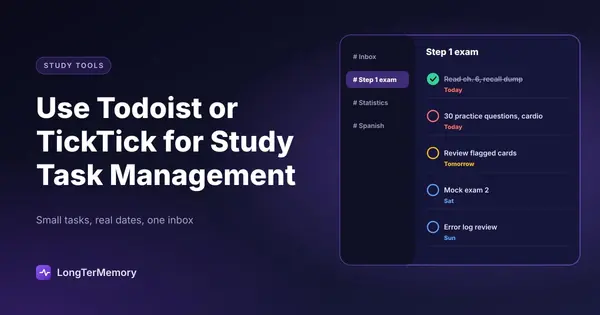
If you use a task management app like Todoist or TickTick, add a step to your study routine: “Plant tree” appears as a task before each study block. By the time it becomes habitual, starting a Forest session becomes as natural as opening your textbook.
Some students keep their phone physically face-down on their desk with Forest running during study, which creates a visual reminder of the active tree and the commitment they’ve made.
Using Forest with the Pomodoro Technique
Forest and the Pomodoro Technique are natural partners. The classic Pomodoro cycle is 25 minutes of focused work, 5 minutes of break, repeated four times before a longer break. Forest’s tree timers align perfectly with this structure.
Here’s a simple Pomodoro-Forest protocol:
- Set a 25-minute tree in Forest
- Work on a single study task until the tree completes
- Take a 5-minute phone break (your tree is done, the commitment is released)
- Plant a new tree and begin the next Pomodoro
- After four completed trees, take a longer break (20-30 minutes)
The visual accumulation of four trees representing a full Pomodoro set is a satisfying concrete record of productivity. Your phone break at the end of each 25-minute session is deliberate and guilt-free because you earned it.
Forest with Friends: Group Study Mode
Forest’s Friends and Group Mode allows you to invite others to study simultaneously. Everyone plants trees at the same time, and the trees grow together into a shared forest. If anyone leaves Forest on their device, their tree dies and it affects the group forest.
This feature is particularly effective for study groups that tend to get distracted when together. Rather than trying to maintain focus through social pressure alone, the shared forest creates a concrete, visual record of collective performance. Nobody wants to be the person who killed the group’s tree.
How to use group study mode effectively:
- Agree on the session length before starting (25 or 45 minutes works well for groups)
- Start simultaneously (a countdown message in your group chat works)
- Keep phones visible face-up, which adds to the social accountability
- Use the post-session break for group discussion or catch-up
Some study groups use Forest stats at the end of the week to decide who buys coffee, which adds an extra layer of stakes to the game.
Tracking Your Focus History
One of Forest’s underused features is the statistics view, which shows your focus time per day, per week, and over longer periods. This data is more useful than it might seem.
What the stats reveal:
- Your natural peak focus periods (when do you plant the most trees?)
- Your consistency over time (are you studying every day or binging before deadlines?)
- Which days you struggle to focus (useful for spotting patterns like fatigue or high distraction days)
If your weekly stats show consistent focus on Monday through Wednesday and almost nothing Thursday through Sunday, that pattern tells you something important about how your week is structured. You can use that data to redesign your schedule rather than just trying harder.
Forest’s statistics also feed directly into motivation. Looking at a month where you accumulated twenty or thirty hours of focused study time, represented as a growing forest, is tangible evidence of investment in yourself. It makes the abstract concept of “working hard” concrete.
Combining Forest with Other Focus Strategies
Forest is a useful tool, but it works best as part of a broader strategy for managing phone distraction during study. Here are a few complementary approaches:
Put your phone in another room. The research on proximity is clear: even having your phone on a desk nearby, face down, measurably reduces cognitive performance. Forest plants the tree, but if you want maximum focus, the phone should not be in the same room during the session.
Use a physical clock for break timing. During your Pomodoro breaks, resist the urge to check time on your phone. A small kitchen timer or desk clock keeps you from inadvertently falling into a five-minute phone check that becomes twenty minutes.
Enable Focus Mode on your phone. Both iOS (Focus Mode) and Android (Digital Wellbeing) have built-in features that limit notifications or restrict app access during certain periods. Use these alongside Forest for defense in depth. Forest stops you from using your phone deliberately. Focus Mode stops interruptions you didn’t intend.
Turn off notifications for non-essential apps permanently. You don’t need real-time notifications from most apps. Turning them off entirely removes the trigger before it reaches you, which is more effective than resisting the trigger after it appears.
How Forest Has Worked for Real Students
The pattern reported by students who use Forest effectively tends to follow a predictable arc. In the first week, they plant a lot of dead trees. The habit of checking the phone is so ingrained that even with the visual deterrent of a dying tree, they break sessions repeatedly. By the second week, the streak-building kicks in and they start completing sessions more consistently. By the third or fourth week, the daily forest view becomes motivating in itself, and they start planning their study blocks around maximizing the forest.
The transformation isn’t just about phone use. It’s about reclaiming the feeling of deep work. Many students report that sustained focus, the kind where you’re genuinely engaged with the material for thirty to sixty minutes straight, becomes more accessible and more natural the more consistently they practice it. Forest creates the conditions for that experience to happen more often.
The Real Trees
One last thing worth mentioning: Forest’s partnership with Trees for the Future means that your in-app coins (earned by completing trees) can be used to sponsor the planting of real trees in sub-Saharan Africa. At the time of writing, the Forest community has planted over 1 million real trees.
This doesn’t make Forest a charity. It’s still fundamentally a productivity app. But for students who are motivated by purpose beyond personal benefit, the knowledge that focused study sessions contribute, however modestly, to reforestation is a genuine additional source of motivation.
Plant a tree. Study deeply. And if that tree is also, in a small way, somewhere in Africa, that’s a bonus.
Getting Started Today
Forest is available on iOS and Android. There’s a free version with the core functionality, and a paid version (a one-time purchase on iOS, subscription on Android) that adds the coin-to-real-trees conversion, detailed statistics, and additional tree and plant species.
You don’t need the paid version to benefit from the app. Start with the free version. Plant your first tree tonight, for twenty-five minutes. See how it feels to study with your phone genuinely off. Then build from there, one session, one tree, one forest at a time.