How to Prepare for the Kubernetes Administrator (CKA) Exam
Prepare for the CKA exam with hands-on Kubernetes labs, cluster setup tips, and time management strategies to pass the performance-based test.
Table of Contents
- What the CKA Tests and How the Hands-On Performance-Based Format Works
- Lab Environments and Cluster Setup for CKA Exam Preparation
- High-Yield Labs to Build Yourself
- Simulate Exam Conditions Early
- Retaining the Mountain of Detail
- Time Management and Task Prioritization Strategies for the CKA Exam
- Tactical Habits That Save Minutes
- How to Practice Time Management
- A Realistic CKA Study Timeline
- Final Thoughts
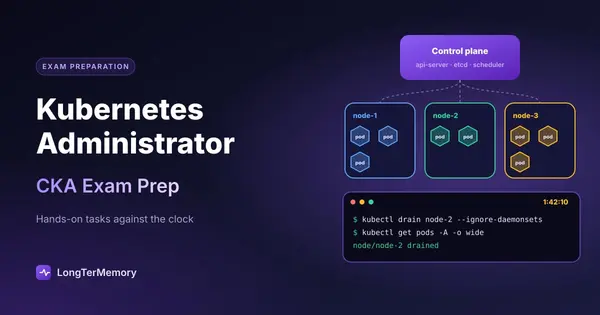
The Certified Kubernetes Administrator (CKA) exam is one of the most respected credentials in cloud native computing, and for good reason. It is not a multiple-choice test you can guess your way through. It is a live, performance-based exam where you are dropped into a command line and asked to fix, configure, and deploy real Kubernetes resources against live clusters. If you want the certification to mean something on your resume, the preparation has to be just as practical.
I have sat the CKA and coached engineers through it, and the pattern is always the same. People who pass treat the exam like a troubleshooting shift, not a memorization test. People who struggle usually know the concepts but have not spent enough time typing commands under pressure. This guide will help you avoid that gap by focusing on what the exam actually tests, how to build labs that mimic the real environment, and how to manage the clock when every minute matters.
What the CKA Tests and How the Hands-On Performance-Based Format Works
The CKA is a two-hour, performance-based exam made up of around 17 practical tasks that together cover the full Kubernetes administrator skill set. There are no multiple-choice questions. Every task requires you to ssh into a provided terminal or browser-based environment and produce a working result on a live cluster.
The Linux Foundation publishes the current exam domains and their approximate weights, and you should treat that weighting as your study budget:
| Domain | Approx. weight | What it asks you to do |
|---|---|---|
| Cluster Architecture, Installation, and Configuration | 25% | Install clusters with kubeadm, manage certificates, configure RBAC, upgrade Kubernetes versions, back up and restore etcd |
| Workloads and Scheduling | 15% | Deploy and scale applications, configure scheduling rules, resource limits, and pod affinity or taints |
| Services and Networking | 20% | Expose workloads, configure network policies, troubleshoot DNS and connectivity, understand CNI basics |
| Storage | 10% | Provision PersistentVolumes and PersistentVolumeClaims, understand storage classes and volume access modes |
| Troubleshooting | 30% | Diagnose failing pods, nodes, networking, and control plane components, then fix them under time pressure |
Two things jump out immediately. First, Cluster Architecture and Troubleshooting together make up more than half the exam, and both reward real muscle memory. You will be asked to bring a node back online, restore an etcd snapshot, or fix a broken kubelet configuration. These are not questions you can reason through from first principles if you have never done them. Second, the exam rewards speed and accuracy together. You can know the right fix and still fail if it takes you twenty minutes to remember the exact kubeadm command or the etcd restore flags.
The exam environment itself is a browser-based Linux terminal with multiple clusters. Each task tells you which cluster context to use, and the first thing you should do on every question is set the correct context with kubectl config use-context. Miss that step and you solve the problem on the wrong cluster, which is an automatic zero for the task. The interface also includes a simple notepad, which is more useful than it sounds. You can copy snippets, track skipped questions, and jot down command templates before the timer starts.
Another detail that catches first-time candidates off guard: the exam is open book, but only to the official Kubernetes documentation. You can search docs.kubernetes.io, but the search is not fast, and relying on it for more than one or two precise flag lookups is a recipe for running out of time. The documentation is a safety net, not a strategy.
In short, the CKA tests whether you can operate Kubernetes clusters in real time. Theoretical knowledge gets you to the starting line. Repetitive, hands-on practice gets you across it.
Lab Environments and Cluster Setup for CKA Exam Preparation
If you take only one thing from this guide, let it be this: you cannot pass the CKA without building and breaking real clusters. Watching videos and reading the docs will give you vocabulary, but the exam is won or lost in the terminal.
The good news is that you have several lab options, ranging from free local setups to paid environments that look almost exactly like the exam.
| Lab option | Best for | Notes |
|---|---|---|
| minikube | Local quick tests and single-node exploration | Free, easy to install, great for workload and storage drills |
| kind (Kubernetes in Docker) | Multi-node clusters on a laptop | Fast to spin up, excellent for networking and policy labs |
| k3s | Lightweight clusters on VMs or bare metal | Good middle ground if you want a real distribution without heavy resource use |
| kubeadm on cloud VMs | Building clusters from scratch | Closest to the exam; use this for install, upgrade, and etcd backup practice |
| KodeKloud CKA course labs | Guided, exam-aligned exercises | Convenient pre-built environments with step-by-step scenarios |
| killer.sh simulator | Final exam rehearsal | Looks and feels like the real CKA; best used a week before exam day |
My recommendation is to stack these tools rather than choose one. Start with minikube or kind for daily kubectl drills, because they start fast and let you iterate. Then move to kubeadm on three cloud VMs for the heavy architecture tasks, because the exam will absolutely ask you to bootstrap, upgrade, or repair a cluster built with kubeadm. Finally, run at least one killer.sh simulator under exam conditions so you experience the fatigue of two straight hours of terminal work.
High-Yield Labs to Build Yourself
The following exercises cover the skills that appear most often and pay the biggest dividends. Do each one until the commands feel automatic.
- Install a cluster with kubeadm: Build a control plane node and two worker nodes on Ubuntu, install a CNI such as Calico or Weave, and join the workers. Do it from scratch at least twice.
- Upgrade the cluster: Use
kubeadm upgradeandkubectl drain/uncordonto move a cluster from one minor version to the next. This is a classic exam task. - Back up and restore etcd: Practice
etcdctl snapshot saveandsnapshot restoreusing the correct endpoint and certificates. This single task is worth a lot of points and is easy to mess up on flag syntax. - Configure RBAC: Create Roles, RoleBindings, ClusterRoles, and ClusterRoleBindings that grant the least privilege a user or service account needs.
- Troubleshoot a broken node: Stop the kubelet, corrupt a static pod manifest, or break a certificate, then bring the node back online.
- Expose and secure services: Create ClusterIP, NodePort, and Ingress resources, then write network policies that restrict east-west traffic.
- Provision storage: Create a StorageClass, a PersistentVolume, and a PersistentVolumeClaim, then mount it into a pod and verify data survives pod restart.
Simulate Exam Conditions Early
Once you know the basics, start doing your labs under a timer. Give yourself six or seven minutes per task, do not look up commands, and if you get stuck, mark it and move on. This habit is hard to build but essential, because the CKA is as much an exam of emotional control as technical skill. The simulator exposes where your commands are slow, where your typing is error-prone, and where you waste time reading documentation.
Also, get comfortable with imperative kubectl commands. Many candidates write YAML by hand for every task, and that is fine for simple objects, but it is slow. Learn generators such as kubectl run, kubectl create deployment, kubectl expose, and kubectl create secret. You can always edit the result with kubectl edit or kubectl set if you need fine tuning. The seconds you save add up across seventeen tasks.
Retaining the Mountain of Detail
The CKA requires you to remember an enormous number of small, precise facts: the exact path to the kubeadm config, the etcdctl endpoint flags, the difference between kubectl apply and kubectl create, which volume access modes are valid, and on and on. Labbing builds intuition, but it does not automatically keep every flag fresh in your memory over a two-month prep.
That is where spaced repetition becomes your secret weapon. As you study, turn each testable detail into a review card. You can upload your CKA study notes, PDFs, or lab documentation to LongTerMemory, and its AI will generate focused flashcards from the material and schedule them using spaced repetition. Instead of re-reading the same docs the night before the exam, you review the exact flags, commands, and edge cases you personally struggle with, right when you are about to forget them. It is the most efficient way I know to keep the detail layer sharp while your hands stay busy on the clusters.
Time Management and Task Prioritization Strategies for the CKA Exam
Two hours sounds like a long time until you are fifteen minutes into a task and realize you have barely touched the cluster. The most common reason candidates fail is not lack of knowledge; it is spending too long on one question and leaving easy points on the table.
The core strategy is simple: scan every task first, pick the quick wins, and skip anything that feels sticky on the first pass. You do not have to solve questions in order, and the exam interface makes it easy to flag items and return later.
Here is a practical prioritization framework you can use on exam day:
| Priority | Task type | Action |
|---|---|---|
| 1 | High-value, fast tasks | Do these immediately. Examples: create a deployment, expose a service, set a label, or add a node role. |
| 2 | High-value, medium effort | Do these next, but cap yourself at eight minutes. Examples: network policy, PVC, RBAC role. |
| 3 | Low-value or very hard tasks | Skip on the first pass and come back only if time allows. Examples: lengthy multi-step upgrades or tricky etcd restores. |
Aim to complete each task in roughly seven minutes on average. Some will take two minutes; others might take twelve. That is fine, but you need a mental alarm. If you have not made clear progress after five minutes, make a quick note in the notepad, copy any partially working command, and move on. The points you gain from two easy tasks almost always outweigh the points you lose by abandoning one hard one.
Tactical Habits That Save Minutes
Small habits compound under pressure. Adopt these before the exam so they feel automatic:
- Set the context first, every time: Before typing any kubectl command, run
kubectl config use-contextas specified in the task. This is the cheapest insurance you can buy. - Use the notepad for command templates: Pre-type common snippets such as
kubectl run nginx --image=nginx,kubectl expose deployment, or a basic pod YAML. Copy, paste, and edit rather than typing from scratch. - Check your work with kubectl: After every task, run a quick verify command such as
kubectl get pods,kubectl get svc, orkubectl describe. If the task asks for a specific output, confirm it matches. - Do not over-engineer: If the task says create a deployment with two replicas, create exactly that. Do not add resource limits, probes, or labels unless asked.
- Know when to use the docs: Save documentation searches for precise flag lookups, not for learning a concept. If you find yourself reading a concept page during the exam, you have already lost time.
- Keep calm on failure: If a command fails, read the error message. It usually tells you exactly what is wrong. Panic is the enemy; methodical checking is the answer.
How to Practice Time Management
You can train this skill before exam day. When you take a simulator or a timed lab, use a visible countdown. Start the clock, read the task, set the context, and solve it. If you exceed seven minutes, stop and ask yourself why. Was it a missing flag? A typo? A concept gap? Fix that specific thing in your next study session, not by rewatching an entire video.
Also, practice the full two-hour arc at least twice. Endurance matters. Decision quality drops in the second hour, so you want the mechanics of context switching, notepad use, and imperative kubectl to be deeply ingrained by then. The candidates who finish strong are usually the ones who trained like it was a real exam, not a casual lab session.
A Realistic CKA Study Timeline
For someone with basic Linux and container experience, a realistic prep timeline is six to ten weeks at about eight to twelve hours per week. Here is one way to distribute the work:
| Weeks | Focus |
|---|---|
| 1-2 | Core Kubernetes concepts, kubectl fluency, pods, deployments, services, and storage basics |
| 3-4 | Cluster installation and configuration with kubeadm, certificates, RBAC, and etcd fundamentals |
| 5-6 | Networking, network policies, DNS troubleshooting, Ingress, and CNI overview |
| 7-8 | Scheduling, resource limits, taints, tolerations, affinity, and advanced pod design |
| 9-10 | Heavy troubleshooting practice, full timed simulators, spaced review of weak areas |
Whatever timeline you choose, front-load the hard architecture and troubleshooting work. Those domains carry the most weight and take the longest to internalize. Cramming kubeadm upgrades in the final week is a bad plan. Practicing them repeatedly over several weeks is a good one.
Final Thoughts
The CKA is a demanding exam, but it is also a fair one. It does not ask you to memorize obscure trivia. It asks you to operate Kubernetes, the same way you would on the job. If your preparation centers on real clusters, real commands, and repeated timed practice, the exam becomes difficult but entirely achievable.
Combine that hands-on work with smart retention. Build your muscle memory in the lab, and use LongTerMemory to turn your CKA PDFs, notes, and lab observations into AI-generated flashcards that keep every command and flag fresh through spaced repetition. Intuition plus retention is the combination that gets you certified.
Good luck with your CKA prep. Build clusters, break clusters, fix clusters, and trust the work. You have got this.