How to Use AI to Summarize Lecture Recordings
Learn which AI tools transcribe and summarize lecture recordings automatically, and how to combine AI summaries with active recall for real learning.
Table of Contents
- Tools for Transcribing and Summarizing Recorded Lectures Automatically
- Otter.ai
- Whisper (OpenAI)
- Notegpt and Similar All-in-One Tools
- YouTube Transcripts with AI Processing
- Using General-Purpose AI for Summarization
- Reviewing AI Lecture Summaries With Active Recall Instead of Passive Reading
- Turn summaries into questions immediately
- Ask the AI to format output for active recall
- Use the summary to identify what you need to learn, not to learn it
- Integrating AI Lecture Summaries Into Your Spaced Repetition System
- The workflow
- Keeping up with course content
- The Limits of AI Lecture Processing
- Putting It Together
Recorded lectures have completely changed how a lot of students and professionals engage with educational content. Whether it’s a university course with recorded sessions, a live training webinar you couldn’t attend, an online certification course you’re working through asynchronously, or even a conference talk you saved to watch later, most of us have a pile of audio and video content sitting somewhere that we know contains useful information and haven’t fully processed.
The problem with recorded lectures is time. A 90-minute lecture takes 90 minutes to watch, plus however long it takes to take notes, and most of us don’t have the luxury of that kind of uninterrupted time. And even when we do watch, passive listening to a lecture, especially a recorded one where there’s no professor calling on you, often produces the familiar outcome of having watched the whole thing and retained surprisingly little of it.
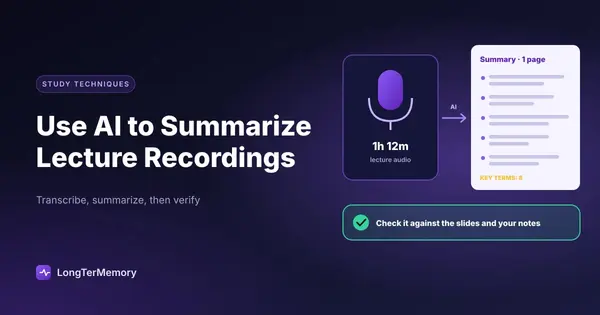
AI tools have genuinely changed this equation. Modern transcription and summarization technology can convert a recorded lecture into a structured text summary in minutes, pulling out key concepts, main arguments, and core information in a format that’s much faster to work with than the original video. And when you combine those AI summaries with active recall techniques, you get a study workflow that’s both faster and more effective than passive re-watching.
This guide covers the tools available, how to use them well, and how to integrate AI lecture summaries into a study system that actually produces durable learning.
Tools for Transcribing and Summarizing Recorded Lectures Automatically
The landscape of AI transcription and summarization tools has expanded rapidly. There are now several solid options at different price points and with different feature sets.
Otter.ai
Otter.ai is one of the most widely used AI transcription tools for education. It offers real-time transcription for live meetings and lectures, but it also accepts audio and video file uploads for post-hoc transcription. The transcripts are generally accurate (with performance varying by audio quality and speaker clarity), and the interface includes automatic speaker identification, keyword highlights, and basic summary generation.
Otter’s free tier is limited in upload minutes, but the paid tiers are reasonably priced for student use. Many universities now integrate Otter directly into their learning management systems or Zoom setups, which means transcripts can be available automatically after recorded sessions.
Whisper (OpenAI)
OpenAI’s Whisper is an open-source transcription model that produces very high accuracy across multiple languages and is generally considered one of the most capable transcription systems available. It’s free to use but requires some technical comfort: you either run it locally via command line or access it through a service built on top of it.
For technically inclined students, Whisper plus a simple Python script can transcribe and then feed the transcript to a language model for summarization, giving you a highly customizable workflow. For people who want something with a simple interface, Whisper-based tools like MacWhisper (Mac desktop app) or various web wrappers make it more accessible.
Notegpt and Similar All-in-One Tools
Tools like Notegpt, Notta, and several similar platforms offer end-to-end lecture processing: upload a video or audio file, or paste a YouTube URL, and get a transcript plus AI-generated notes and summary back. These are designed specifically for students and offer features like mind maps, flashcard generation, and key point extraction alongside the basic transcript.
For most students who want something that just works without technical setup, one of these all-in-one platforms is probably the right starting point.
YouTube Transcripts with AI Processing
If your lectures are on YouTube (which many course recordings, MOOCs, and conference talks are), there’s a quick workflow that doesn’t require uploading anything: most YouTube videos have auto-generated transcripts accessible through the three-dot menu. You can copy that transcript and paste it into a general-purpose AI tool for summarization.
This is free, fast, and works reasonably well for lectures with clear audio. The quality depends heavily on the auto-caption accuracy, which varies, so it’s not ideal for highly technical content where precise terminology matters.
Using General-Purpose AI for Summarization
Once you have a transcript, whether from a dedicated tool or copied from YouTube, you can use any capable language model to summarize and process it. When doing this, the prompt you give the AI matters significantly for what you get back.
A vague prompt like “summarize this lecture” will give you something generic. More specific prompts produce much more useful outputs:
“Identify the 5 to 7 main concepts covered in this lecture and explain each in 2 to 3 sentences.”
“Create a structured outline of this lecture with main topics and sub-points.”
“What are the key definitions introduced in this lecture?”
“What examples did the lecturer use to illustrate each main concept?”
“What questions might appear on an exam about this lecture content?”
The last prompt is particularly useful for exam preparation. Getting an AI to generate practice questions from a lecture transcript is a fast way to create material for active recall practice. For tools built for this, see our guide to AI quiz generators.
Reviewing AI Lecture Summaries With Active Recall Instead of Passive Reading
Here is the most important point in this guide, and it’s the one that most people get wrong: reading an AI summary of a lecture is still passive review.
Getting a crisp 5-paragraph summary of a 90-minute lecture saves you time and makes the content more accessible. That’s genuinely valuable. But if your whole study workflow is: watch or skip lecture, read AI summary, feel informed, move on, you’re going to find that the retention is disappointing. The information passes through your mind without being encoded in any durable way.
The research on this is very clear. Passive consumption of information, regardless of how efficiently formatted it is, produces far weaker memory than active retrieval practice. Reading an AI summary is easier than watching the lecture. Easier is not the same as more effective for learning.
Turn summaries into questions immediately
The most direct fix is to convert your AI summaries into material for active recall, not additional passive reading. Here’s a simple workflow:
Read or skim the AI summary once to get the overview. Then close it (or scroll past it) and try to recall the main points from memory. What were the key concepts? What were the definitions or frameworks introduced? What examples were given?
Check what you missed. Then create a question for each key point: “What is [concept]?”, “What are the three stages of [framework]?”, “What example did the lecturer use to illustrate [idea]?”. These questions become your study material.
This doesn’t take much longer than just reading the summary, and it produces dramatically better retention. The act of trying to recall each point before checking is what drives the learning.
If you want to understand the mechanism behind this, our piece on active recall techniques covers the testing effect, the science of retrieval practice, and why effortful recall is far more effective than passive review.
Ask the AI to format output for active recall
You can also get AI to produce directly testable output rather than passive prose summaries. Instead of a summary, ask for:
“Create 15 flashcard question-and-answer pairs from this lecture transcript.”
“List the key terms from this lecture as a vocabulary list with definitions.”
“Write 10 practice exam questions based on this lecture content.”
These outputs are inherently more active because they’re designed to be answered, not just read. Converting a lecture into 15 Q&A pairs gives you a study session’s worth of retrieval practice material that took seconds to generate.
Use the summary to identify what you need to learn, not to learn it
Another useful frame: treat the AI summary as a map of what the lecture covered, not as a replacement for understanding the underlying content. When you read the summary and encounter a concept that’s unfamiliar or confusing, that’s a signal to go back to the original lecture (or to additional resources) for that specific section, not to assume the summary has explained it sufficiently.
The summary tells you what’s there. Working through the confusing parts actively tells you what you actually understand.
Integrating AI Lecture Summaries Into Your Spaced Repetition System
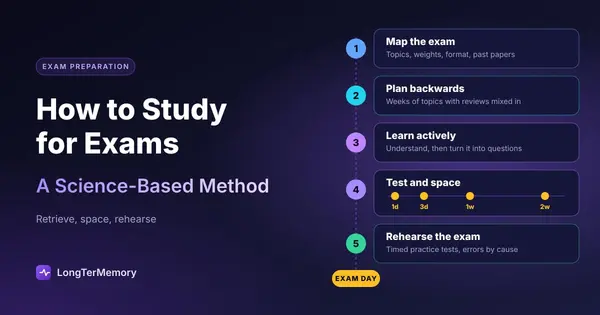
The most powerful use of AI-processed lecture content is as an input into a spaced repetition system, where the key material from each lecture gets added to a review deck and surfaces automatically on the optimal schedule.
This transforms what would otherwise be ephemeral notes into something that gets retrieved and reinforced over time. Without a review system, most lecture content fades within days. With spaced repetition, the key concepts from a lecture you processed in September can still be readily accessible in January.
The workflow
Here’s a practical workflow for integrating AI lecture summaries with spaced repetition:
Step 1: Transcribe and summarize the lecture using one of the tools above.
Step 2: Read the summary and identify 10 to 20 key concepts, definitions, frameworks, or facts that are worth retaining long-term.
Step 3: Convert each into a specific Q&A card. Keep each card focused on a single piece of information.
Step 4: Add the cards to your spaced repetition deck and review them on the generated schedule.
Step 5: For any card you consistently struggle with, go back to the lecture for the relevant section and make sure your understanding of the underlying concept is solid, not just the surface-level answer.
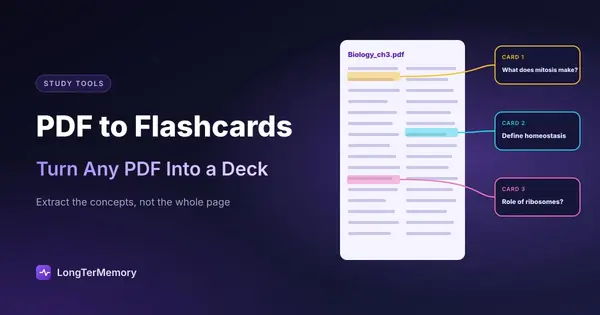
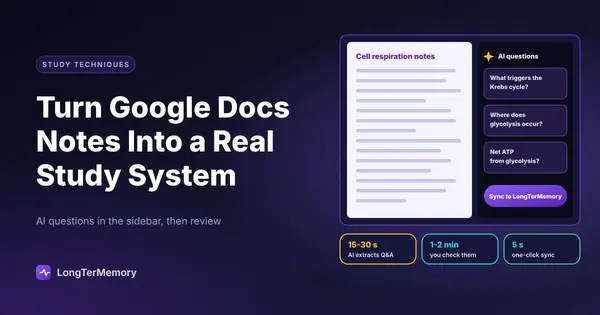
LongTerMemory is particularly well suited to this workflow because it can automatically generate question-and-answer pairs from uploaded study materials, including text documents. If you paste in an AI-generated lecture summary, it can create the flashcard deck for you automatically, removing the friction of having to write each card manually. This makes the pipeline from “raw lecture recording” to “structured spaced repetition review” very fast. Check it out at LongTerMemory.
Keeping up with course content
For students managing multiple courses, AI summarization plus spaced repetition makes it realistic to actually keep up with lecture content in real time rather than falling behind and facing a massive review pile before exams.
A sustainable rhythm looks something like: lectures get processed the same week they’re released or attended, key concepts get added to the review deck, and daily SRS review keeps the deck current across all courses. Our detailed guide on studying smarter with a full course load covers how to manage this across 4 to 6 simultaneous courses.
The Limits of AI Lecture Processing
It’s worth being honest about what these tools don’t do well, so you use them appropriately.
Audio quality matters a lot. AI transcription accuracy drops significantly with poor audio, heavy accents (depending on the model), multiple overlapping speakers, or highly technical vocabulary that wasn’t in the model’s training data. Always review AI-generated transcripts for accuracy before relying on them for study.
AI summaries miss nuance. A good lecturer communicates more than just information: tone, emphasis, examples that connect to specific points in ways that are hard to capture in summarized text, and implicit reasoning that connects ideas. If a concept is foundational to your course, the AI summary is a starting point, not a substitute for actually engaging with the source material.
Passive AI consumption is still passive. The tools in this guide are genuinely valuable for making lecture content accessible and processable. But no technology eliminates the need for active engagement with the material. The AI does the transcription and formatting work. The learning is still something only you can do.
Putting It Together
AI lecture summarization is a genuine productivity tool for students and professionals managing high volumes of recorded content. Used well, it reduces the time cost of extracting key information from lengthy recordings and creates structured material that’s easier to work with than raw video.
Used poorly, it’s just another passive consumption format that creates the illusion of learning without the substance of it. The difference is in what you do after you read the summary.
The formula is simple: get the AI to do the transcription and formatting work, then do the cognitive work yourself. Turn the summaries into questions. Review the questions actively. Add the most important material to a spaced repetition system. Go back to the source for anything you don’t actually understand.
That combination of AI efficiency and active learning practice is genuinely better than either alone.