Knowt vs RemNote (2026): Quick Flashcards or a Full Study System?
Knowt vs RemNote compared on spaced repetition, notes, AI, imports and price, so you can pick the right app for your exams in five minutes.
Table of Contents
- Knowt vs RemNote at a Glance
- The Core Difference: Sets vs Notes
- Spaced Repetition: Which Schedules Better?
- Making Cards: AI and Imports
- Knowt
- RemNote
- Price Compared
- Who Should Choose Which
- Where Both Fall Short
- FAQ
- Is RemNote better than Knowt?
- Is Knowt or RemNote free?
- Does Knowt use FSRS?
- Can I move my Quizlet or Anki cards?
- Which is better for medical students?
- The Bottom Line
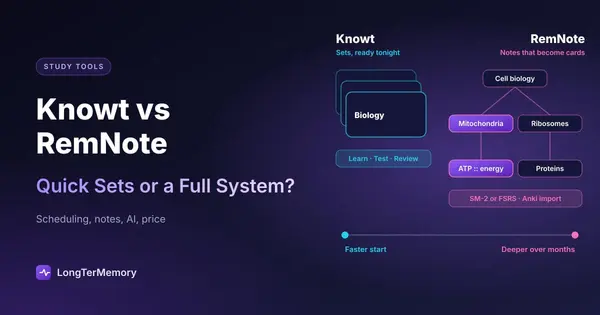
Short answer: pick Knowt if you want a free, Quizlet-style app that’s fast to start: unlimited Learn, practice tests and spaced repetition for free, plus one-click import of your Quizlet sets. Pick RemNote if you take your notes digitally and want them and your flashcards in one system, with a real scheduler (SM-2 by default, FSRS optional), Anki deck import and an offline mode. Knowt is quicker on day one; RemNote pays off over a long course. If writing cards from your PDFs is the slow part, a third option is at the end.
Students searching for this comparison are usually choosing between two very different ideas of studying. Knowt is a set-based app: you make or import a deck and drill it. RemNote is a note-taking system where flashcards grow out of your notes. Both are good. They’re good at different things, and this guide shows which matters for you. Features and prices were checked on the official pages in October 2026.
Knowt vs RemNote at a Glance
| Knowt | RemNote | |
|---|---|---|
| What it is | Quizlet-style flashcards and study modes with AI | Notes and flashcards in one linked system |
| Spaced repetition | Free spaced repetition mode, algorithm not published | Per-card scheduling, SM-2 by default, FSRS optional, custom schedulers |
| Other study modes | Learn, practice tests, matching | Daily flashcard queue, exam scheduler |
| Notes | Basic notes, AI summaries | Full note-taking: linked concepts, references, PDF annotation |
| AI | Notes, PDFs, slides, lecture recordings to cards; full tools in Ultra | 250 AI credits a month free; PDF to cards, AI tutor and lecture recorder in Pro with AI |
| Imports | Quizlet, Kahoot, Wayground, YouTube | Anki decks (.apkg), text |
| Offline | Not documented | Offline mode |
| Free plan | Unlimited study modes, with ads | Unlimited notes and flashcards, synced on all devices |
| Paid plans | Ultra $149.99/yr or $24.99/mo | Pro $96/yr ($8/mo); Pro with AI $216/yr ($18/mo) |
| Platforms | Web, iOS, Android | Web, desktop, iOS, Android |
The Core Difference: Sets vs Notes
Knowt organizes your study around sets. A set is a list of terms and definitions, made by you, imported from Quizlet, or generated by AI from a file. You pick a mode (Learn, practice test, matching, spaced repetition) and go. There’s almost nothing to learn before you can study.
RemNote organizes your study around notes. You write your lecture notes in RemNote, and any line can become a flashcard with a simple marker (for example, Mitochondria :: produces ATP). The card stays linked to the note it came from, so when you get it wrong you can jump straight back to the context. Over a semester, your notes and your deck are the same thing, which means no separate deck to maintain. We walk through the setup in how to use RemNote for notes and flashcards.
The trade-off is time. Knowt is useful in five minutes. RemNote takes a few evenings to feel natural, and it rewards you if you’ll use it for months.
Spaced Repetition: Which Schedules Better?
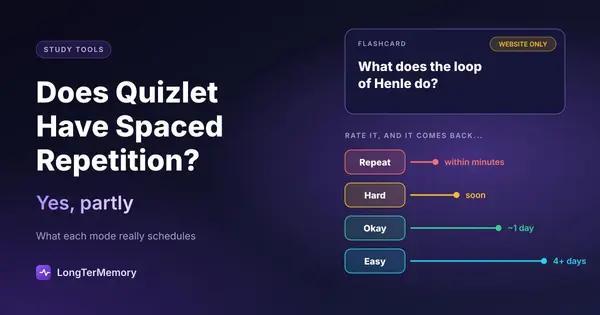
RemNote is the stronger scheduler. It schedules each card individually across weeks and months, uses the Anki SM-2 algorithm by default and lets you switch to FSRS, the modern scheduler that usually reaches the same retention with fewer reviews. You can also set up custom schedulers and an exam date (one exam on the free plan), so reviews are planned around your test. If you have thousands of cards and a long horizon (medical school, law, a professional certification), this is the kind of control you want.
Knowt’s spaced repetition mode is simpler. It sets a review schedule and tells you how many cards to study each day, and it’s free with unlimited rounds. Knowt doesn’t publish how the intervals are calculated, and there’s less to configure. For a course with a few hundred cards, that’s fine. For a 5,000-card board exam deck, it’s a black box you’d rather not depend on.
For a broader view of scheduling apps, see the best spaced repetition apps compared on algorithm, platforms and price.
Making Cards: AI and Imports
Knowt
Knowt’s AI turns notes, PDFs, PowerPoints and lecture recordings into notes, flashcards and practice questions. The free plan lets you try it; Ultra adds the full summarizers, a lecture recording summarizer, an AI voice tutor and ad-free studying. The other big shortcut is import: Quizlet sets come over in a couple of clicks, and Knowt also imports from Kahoot, Wayground and YouTube.
RemNote
RemNote’s free plan includes 250 AI credits a month (enough for a handful of AI cards from text), and Pro with AI raises that a lot and adds Learn PDF (AI flashcards, quizzes and summaries from a PDF), an AI tutor chat, AI grading and a lecture recorder. Its key import is Anki: RemNote reads .apkg decks, so you can bring years of Anki work with you. Free users can annotate up to 3 PDFs, files or websites; Pro removes the limit.
Whichever you pick, check AI cards before you study them. Generated cards from a PDF often include trivia, miss the big ideas, or test wording rather than understanding. Five minutes of editing per chapter saves hours of reviewing the wrong things. Our guide to AI flashcard generators has a quick checklist.
Price Compared
| You want | Knowt | RemNote |
|---|---|---|
| Free studying with spaced repetition | Free, with ads | Free, unlimited notes and cards |
| Unlimited PDF annotation | n/a | Pro, $96/yr |
| Full AI tools on your files | Ultra, $149.99/yr or $24.99/mo | Pro with AI, $216/yr or $18/mo |
For pure studying, both are free. The bills differ only if you want heavy AI use, and there Knowt is cheaper per year while RemNote’s monthly AI plan is cheaper for a short exam season.
Who Should Choose Which
| Your situation | Pick |
|---|---|
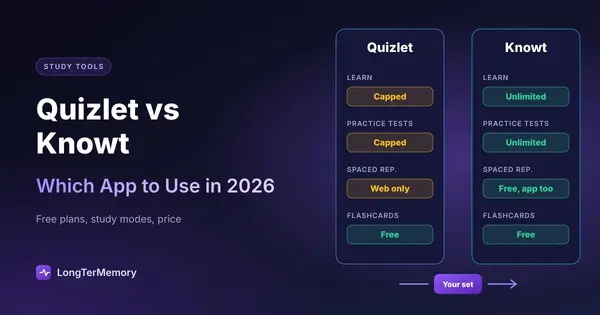
| You’re leaving Quizlet and want the same study modes for free | Knowt |
| You have a test in a week and want to start tonight | Knowt |
| You record lectures and want notes and questions from them | Knowt |
| You take digital notes and want them to become cards | RemNote |
| You have Anki decks you want to keep | RemNote |
| You need a tunable scheduler for thousands of cards over months | RemNote |
| You study offline on flights or commutes | RemNote |
| You want the simplest app possible | Knowt |
If you’re preparing for a technical certification, our comparison of LongTerMemory, Anki and RemNote for tech certifications goes into which features matter there. And if Knowt is on your list because you’re leaving Quizlet, read Quizlet vs Knowt first.
Where Both Fall Short
Knowt and RemNote are both great when your study material is either short sets or notes you write yourself. They’re weaker when the material is a 300-page textbook or a stack of lecture PDFs and you need to remember it for months. With Knowt, AI cards from a long PDF need heavy editing and the scheduler is basic. With RemNote, you still have to write notes and mark cards line by line, or pay for Pro with AI.
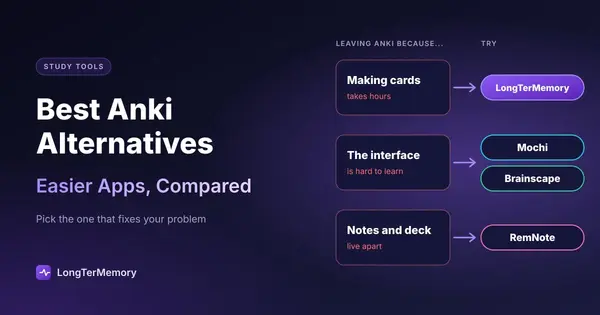
That’s the case LongTerMemory focuses on. It reads your own PDFs, slides and notes, generates question-and-answer pairs from them (open questions or multiple choice), and schedules every one with spaced repetition on the web and in the iOS and Android apps. It has no shared library and doesn’t import Quizlet sets or Anki decks, so it isn’t the right tool if your material already lives in those apps. For the full field, see the best Quizlet alternatives and the best Anki alternatives.
FAQ
Is RemNote better than Knowt?
For long-term retention and connected notes, yes: RemNote has a configurable scheduler with SM-2 and FSRS, Anki import and offline mode. Knowt is better if you want free Quizlet-style study modes and a fast start.
Is Knowt or RemNote free?
Both have strong free plans. Knowt’s study modes, including spaced repetition, are free with ads. RemNote’s free plan includes unlimited notes and flashcards, synced on all your devices, with limits on PDF annotation and AI.
Does Knowt use FSRS?
Knowt doesn’t publish which algorithm its spaced repetition mode uses. RemNote supports FSRS as an option next to its default SM-2 scheduler.
Can I move my Quizlet or Anki cards?
Quizlet sets import into Knowt directly. Anki decks (.apkg) import into RemNote. Going the other way generally means exporting as text and re-importing.
Which is better for medical students?
RemNote, if you choose between the two: the scheduler, Anki import and linked notes suit a multi-year curriculum. Many medical students still use Anki itself for the shared decks.
The Bottom Line
Knowt is the fast, free, familiar choice: import your sets and start drilling tonight. RemNote is the deeper system: it turns your notes into a deck and schedules it properly for months. Choose by how long you need to remember. And if your problem is turning long PDFs into questions in the first place, try LongTerMemory free for 7 days: upload a chapter and see the questions it generates and schedules for you.
Features and prices checked on knowt.com and remnote.com in October 2026. Both apps update their plans often; check before you buy.