Best Spaced Repetition Apps in 2026: An Honest Comparison
The best spaced repetition apps of 2026 compared on algorithm, card creation, platforms and price: Anki, RemNote, Mochi, Brainscape, Gizmo, LongTerMemory.
Table of Contents
- What Makes a Good Spaced Repetition App
- The Best Spaced Repetition Apps Compared
- The Apps in Detail
- Anki: The Most Powerful Scheduler
- RemNote: Flashcards Inside Your Notes
- Mochi: Anki's Power, Less Complexity
- Brainscape: The Easiest Daily Routine
- Gizmo: AI Quizzes From Anything
- LongTerMemory: Reviews Without Writing Cards
- Which App for Which Situation
- How to Get the Most From Any of Them
- Go Deeper
- FAQ
- Which app is best if I don't want to pay?
- Is FSRS better than SM-2?
- Does Quizlet schedule reviews like these apps?
- How many cards should I review per day?
- Can I do it without an app?
- The Bottom Line
Short answer: Anki has the most powerful scheduler and costs nothing on desktop and Android, at the price of a steep learning curve. RemNote is best if you want notes and flashcards in one place. Mochi is a simpler, Anki-like app with FSRS. Brainscape is the easiest daily routine with spaced repetition in its free plan. Gizmo turns videos and PDFs into AI quizzes. LongTerMemory is the pick if you don’t want to write cards: it generates them from your own material and schedules every review.
A spaced repetition app does one job that paper can’t do well: it remembers, for every single card, when you should see it again. That schedule, based on how well you remembered the card last time, is what lets you keep thousands of facts for months with a few minutes a day. If you want the science behind it first, read the science of spaced repetition. This guide is about choosing the app.
What Makes a Good Spaced Repetition App
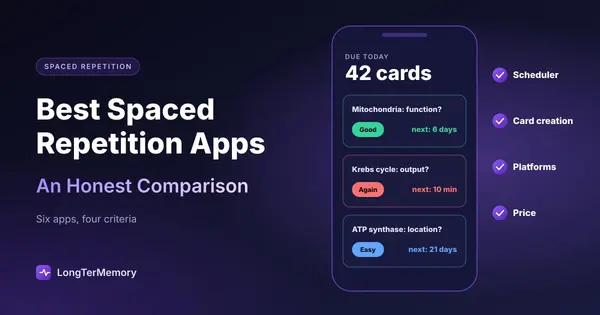
Feature lists all look alike. Four things actually decide whether an app works for you:
- The scheduler. How the app decides when a card comes back. Older apps use variants of SM-2 (the 1980s SuperMemo algorithm); newer ones use FSRS, a model trained on large review datasets that usually needs fewer reviews for the same retention. Some apps use simpler rules, such as confidence ratings. A good scheduler adjusts per card, not per deck.
- Card creation. The app is only as good as the cards in it, and writing them is the most time-consuming part. Options range from typing every card, to importing shared decks, to AI that generates cards from your PDFs and notes.
- Platforms and sync. Reviews happen on your phone, in short gaps of the day. If sync is unreliable or the mobile app costs extra, the habit breaks.
- Price and limits. Free plans differ a lot: some include everything, some lock sync or AI behind a subscription, some are trials.
One thing that doesn’t count: study modes that repeat missed cards within a session (like Quizlet’s Learn mode). They help you drill a set before a test, but they don’t plan each card’s next review days or weeks ahead.
The Best Spaced Repetition Apps Compared
Prices in USD, as listed on each tool’s site or app store in October 2026. They change often: check before you buy.
| App | Scheduler | Card creation | Platforms | Free plan | Paid |
|---|---|---|---|---|---|
| Anki | SM-2 based, FSRS optional (since 23.10) | Manual, shared decks, add-ons | Windows, Mac, Linux, Android, iOS, web | Free (desktop, Android, web) | iOS app $24.99 one-time |
| RemNote | Per-card scheduling, linked to notes | From your notes; AI with Pro with AI | Web, desktop, iOS, Android | Unlimited notes and cards | Pro $96/yr; Pro with AI $216/yr |
| Mochi | Own algorithm, FSRS optional | Manual (Markdown), imports Anki decks | Mac, Windows, Linux, iOS, Android | Yes, local only (no sync) | Pro $5/mo, billed annually |
| Brainscape | Confidence-based (rate 1-5) | Manual, AI, shared library | Web, iOS, Android | Yes, includes scheduled reviews | Pro from $7.99/mo |
| Gizmo | Scheduled reviews in Memorise mode | AI from PDFs, slides, YouTube, Quizlet sets | Web, mobile | Yes, with limits | Subscription, price in app |
| LongTerMemory | SM-2 based, adaptive | AI from your PDFs, notes, web pages, Google Docs | Web, iOS, Android | 7-day free trial | $48 for 4 months or $84 for 12 (Basic); $96 or $120 (Pro), one-time |
The Apps in Detail
Anki: The Most Powerful Scheduler
Anki is the reference point for every other app here. It’s free and open source on desktop, Android and the web, schedules each card individually, and since version 23.10 lets you switch on FSRS in the deck options. Its shared decks, especially for medicine and languages, represent thousands of hours of community work you can download for free.
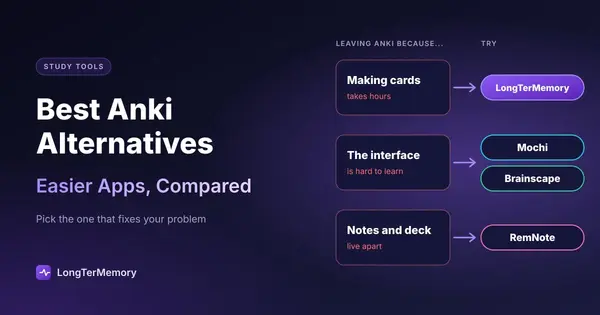
Choose it if you want maximum control and long-term retention, and you’re willing to learn note types, templates and deck options. Skip it if you want something that works well out of the box, or if you’d rather not make cards by hand. Start with how to use Anki effectively from day one, and if it isn’t for you, see the best Anki alternatives.
RemNote: Flashcards Inside Your Notes
RemNote is a note-taking app where any line of your notes can become a flashcard. Reviews are scheduled per card, and each card stays linked to the notes around it, so you can always jump back to the context. The free plan includes unlimited notes and flashcards, and it imports Anki decks.
Choose it if you take your notes digitally and want one system instead of notes plus a separate deck. Skip it if you want a simple flashcard app: RemNote is a whole knowledge system to learn. More in how to use RemNote for notes and flashcards.
Mochi: Anki’s Power, Less Complexity
Mochi is a clean flashcard app with Markdown cards, its own scheduler and FSRS as an option. It runs on desktop and mobile, works offline, and imports Anki decks (converting their formatting to Markdown).
Choose it if you like Anki’s approach but not its interface. Skip it if you need sync on the free plan: free data stays on one device, and sync is part of Pro ($5 a month, billed annually).
Brainscape: The Easiest Daily Routine
Brainscape uses confidence-based repetition: after each card you rate how well you knew it from 1 to 5, and the rating decides when it returns. Scheduled reviews, unlimited card creation and AI-generated cards are in the free plan, and there’s a large library of shared decks.
Choose it if you want a review habit with zero configuration. Skip it if you want fine control over intervals or retention targets.
Gizmo: AI Quizzes From Anything
Gizmo turns PDFs, slides, notes, YouTube videos and even Quizlet sets into quiz-style cards, then schedules reviews in its Memorise mode. It’s designed to feel like a game.
Choose it if your material comes from many sources, including video, and you like a playful interface. Skip it if you want transparent pricing: paid plans are subscriptions shown only in the app, and the free plan has limits such as a wait between imports.
LongTerMemory: Reviews Without Writing Cards
LongTerMemory reads your own study material (PDFs, textbooks, lecture notes, web pages) and generates question-and-answer pairs from it, then schedules each one for review. A Google Docs add-on generates questions as you write your notes, and native iOS and Android apps handle the daily reviews. Uploaded files stay isolated, which matters for licensed textbooks or confidential work material.
Choose it if making cards is what stops you from reviewing regularly, and you study from your own material. Skip it if you want to download shared decks or import an existing Anki collection (it does neither), or if you need a free-forever plan: there’s a 7-day trial, then one-time payments for 4 or 12 months.
Which App for Which Situation
| If you… | Start with |
|---|---|
| Want the most control and long-term retention for free | Anki |
| Study medicine and want shared community decks | Anki |
| Take digital notes and want cards inside them | RemNote |
| Like Anki’s idea but not its interface | Mochi |
| Want a simple daily habit, no setup | Brainscape |
| Learn from videos and mixed sources | Gizmo |
| Study from your own PDFs and notes and hate writing cards | LongTerMemory |
| Study sensitive or copyrighted material | LongTerMemory |
How to Get the Most From Any of Them
The app matters less than how you use it. Five habits make any of them work:
- Review every day. Ten to twenty minutes daily beats an hour once a week; skipped days pile up as a backlog.
- Answer before you reveal. Say or write the answer first. Glancing and thinking “I knew that” is recognition, not active recall.
- Rate honestly. The scheduler only works if “Good” means you actually remembered.
- Keep cards small. One fact or idea per card. Long cards are hard to rate and easy to half-know.
- Add new cards at a sustainable pace. If reviews take more than 30-40 minutes a day, slow down new cards until the backlog shrinks.
Writing good cards is the step most people skip or rush. An AI flashcard generator can draft them from your notes, and you can turn a PDF into flashcards directly; always review AI-generated cards before studying them.
Go Deeper
- Anki vs LongTerMemory
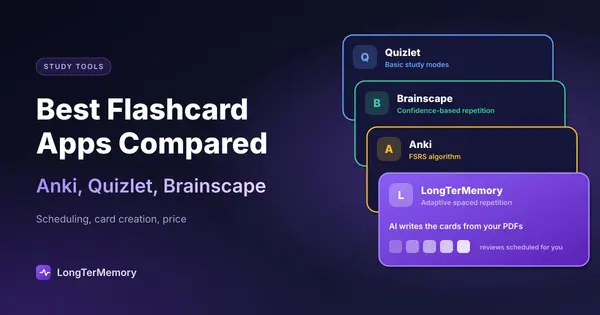
- The best flashcard apps compared
- Using these apps for language learning
- LongTerMemory on Android
- How to memorize fast and not forget
- Learning French with spaced repetition
- Readwise for reviewing highlights
- A free exam prep system
- Spaced repetition for college students
FAQ
Which app is best if I don’t want to pay?
Anki, if you’re willing to learn it: it’s free on desktop, Android and the web, with the most capable scheduler. For something simpler, Brainscape includes scheduled reviews in its free plan, and RemNote’s free plan includes unlimited notes and flashcards.
Is FSRS better than SM-2?
FSRS usually reaches the same retention with fewer reviews, because it models each card’s memory from your actual review history instead of applying fixed multipliers. The difference is real but modest; daily consistency matters more than the algorithm.
Does Quizlet schedule reviews like these apps?
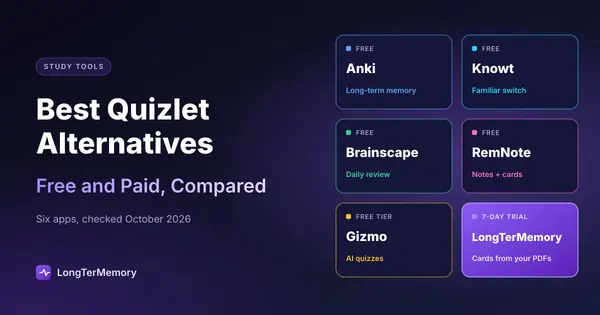
Its Learn mode adapts to your answers within a study session, but it isn’t a full scheduler that plans each card’s next review over weeks. If that’s what you need, see our list of Quizlet alternatives.
How many cards should I review per day?
As many as are due. Most learners do well adding 10 to 30 new cards a day, which leads to roughly 100 to 300 reviews a day once the deck matures, or 15 to 40 minutes.
Can I do it without an app?
Yes, with paper flashcards and the Leitner box system, as described in our guide to the science of spaced repetition. Apps take over the bookkeeping, which matters once you have more than a few dozen cards.
The Bottom Line
The best spaced repetition app is the one you’ll open every day. Anki gives you the most power for free, RemNote and Mochi trade some of that power for a better experience, Brainscape is the easiest habit, and Gizmo and LongTerMemory use AI to remove the work of making cards. If writing cards is your bottleneck, upload a chapter to LongTerMemory during the free trial and see what it generates.
Prices and features checked on the official sites and app listings in October 2026. Plans change often; we update this page regularly.