Best Quizlet Alternatives in 2026: Free and Paid, Compared
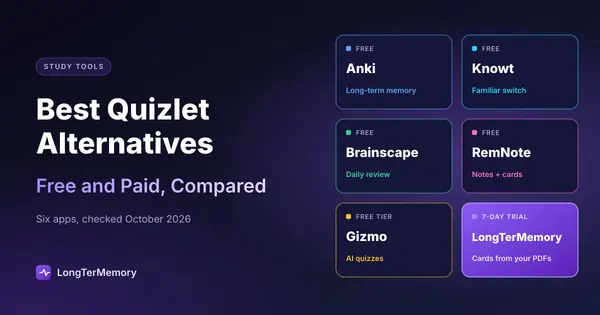
The best Quizlet alternatives for 2026: Anki, Knowt, Brainscape, RemNote, Gizmo and LongTerMemory, compared on price, spaced repetition and Quizlet import.
Table of Contents
- Why People Leave Quizlet
- The Best Quizlet Alternatives at a Glance
- The Alternatives in Detail
- Anki: Best for Long-Term Memory
- Knowt: Best Free Switch
- Brainscape: Best for Simple Daily Review
- RemNote: Best for Notes and Flashcards Together
- Gizmo: Best for AI Quizzes From Any Source
- LongTerMemory: Best When You Don't Want to Write Cards
- When to Choose LongTerMemory, and When Not
- How to Choose in One Minute
- How to Move Your Quizlet Sets
- Go Deeper
- FAQ
- What is the best free alternative to Quizlet?
- Does Quizlet have spaced repetition?
- Can I move my Quizlet flashcards to another app?
- Is Quizlet Plus worth it?
- Which alternative is best for medical students?
- The Bottom Line
Short answer: for a free app with study modes that feel like Quizlet, try Knowt; for the best long-term memory and a free, powerful tool, Anki; for something in between with a clean interface, Brainscape; for notes and flashcards in one place, RemNote; for AI quizzes from videos and PDFs, Gizmo; and if you’d rather not write cards at all, LongTerMemory generates them from your PDFs and notes and schedules the reviews.
Most people start looking for a Quizlet alternative for one of three reasons: features they used for free moved behind Quizlet Plus, they want something that actually helps them remember over weeks rather than drill a set before a test, or they want cards made for them from their own material. This guide compares six options on exactly those points, with prices checked in October 2026.
Why People Leave Quizlet
Quizlet is still one of the easiest ways to make and share flashcards, and its flashcards remain free. The friction is elsewhere:
- More features behind the paywall. Quizlet Plus costs $35.99 a year (billed annually) and still caps you at 20 rounds of Learn and 3 practice tests a month; removing the caps takes Plus Unlimited at $44.99 a year. Free users get a limited number of Learn rounds and practice tests.
- Built for the next test, not for months. Learn mode adapts to your answers and repeats what you miss, which is great for drilling one set. It is less suited to scheduling thousands of cards across a semester or a two-year course, which is what dedicated spaced repetition apps do.
- You still write the cards. Making a good set from a 60-page chapter takes hours, and copying someone else’s set means learning their selection of facts, not your syllabus.
If none of these bother you, Quizlet may still be the right tool; here’s how to use Quizlet effectively. If they do, read on.
The Best Quizlet Alternatives at a Glance
Prices in USD, as listed on each tool’s site or app store in October 2026. They change often: check before you buy.
| Tool | Free plan | Paid plans | Spaced repetition | Makes cards from PDFs/notes | Imports Quizlet sets | Best for |
|---|---|---|---|---|---|---|
| Anki | Free on desktop and Android | iOS app $24.99 one-time | Yes, the strongest (SM-2, optional FSRS) | No (add-ons only) | Via text export | Long-term retention, medicine, languages |
| Knowt | Yes, generous | Ultra $149.99/yr or $24.99/mo | Study modes like Quizlet’s | Yes (AI) | Yes (Chrome extension) | A free, familiar switch |
| Brainscape | Yes, includes spaced repetition | Pro from $7.99/mo | Yes (confidence-based) | Yes (AI) | Via import | Simple daily review |
| RemNote | Yes, unlimited notes and cards | Pro $96/yr; Pro with AI $216/yr | Yes | With AI plan | Via text import | Notes and flashcards in one place |
| Gizmo | Yes, with limits | Subscription, price shown in app | Yes (Memorise mode) | Yes (PDF, YouTube, slides) | Yes (paste set URL) | AI quizzes from any source |
| LongTerMemory | 7-day free trial | $48 for 4 months or $84 for 12 (Basic); $96 or $120 (Pro), one-time | Yes | Yes, the core feature | No | Your own material, no card writing |
The Alternatives in Detail
Anki: Best for Long-Term Memory
What it is: a free, open-source flashcard app with the most respected scheduling engine around. Every card has its own review interval, and since version 23.10 you can switch on FSRS, a more modern scheduler that usually needs fewer reviews for the same retention.
Why switch: if your goal is remembering thousands of facts for months or years (medicine, law, languages), nothing beats Anki’s combination of scheduling, customization and huge shared decks. It works fully offline.
Downsides: the interface is dated and the learning curve is real. There is no built-in AI; you write cards yourself or rely on community add-ons. The iOS app costs $24.99.
Moving from Quizlet: export your set as text from the Quizlet website (only sets you created can be exported), then import the file into Anki. If you’re starting out, see how to use Anki effectively from day one.
Knowt: Best Free Switch
What it is: the alternative closest to Quizlet in look and feel, with flashcards, Learn and practice test modes, plus AI that turns notes, PDFs and lecture recordings into study material.
Why switch: its study modes are free, and its Chrome extension moves a Quizlet set over with one click. If you mostly miss the Quizlet features that went behind the paywall, this is the shortest path.
Downsides: the free plan shows ads, and the best AI features are in Ultra, which at $149.99 a year is the most expensive subscription in this list.
Brainscape: Best for Simple Daily Review
What it is: a flashcard app built around confidence-based repetition: after each card you rate how well you knew it from 1 to 5, and that rating decides when you see it again.
Why switch: spaced repetition is included in the free plan, along with unlimited card creation, imports and AI card generation. The interface is clean and the daily routine is simple.
Downsides: the free plan limits access to the pre-made library, and the scheduler is less configurable than Anki’s.
RemNote: Best for Notes and Flashcards Together
What it is: a note-taking app where any line of your notes can become a flashcard, reviewed with spaced repetition and linked back to its context.
Why switch: if you take your notes digitally, you never have to maintain a separate deck. The free plan includes unlimited notes and flashcards. More in our guide to using RemNote for notes and flashcards.
Downsides: it’s a whole knowledge system to learn, not just a flashcard app. The free plan limits PDF annotation, and AI features need Pro with AI ($216 a year).
Gizmo: Best for AI Quizzes From Any Source
What it is: an AI study app that turns PDFs, slides, notes and YouTube videos into quiz-style flashcards, with a Memorise mode that uses spaced repetition.
Why switch: you can paste a Quizlet set’s URL to import it, and generate new decks from almost any source. The interface is built to feel like a game.
Downsides: the free plan has limits (for example, a wait between imports), and paid plans are subscriptions whose price is shown only in the app.
LongTerMemory: Best When You Don’t Want to Write Cards
What it is: an AI study platform that reads your own material (PDFs, textbooks, lecture notes, web pages) and generates question-and-answer pairs from it, then schedules each one with spaced repetition. A Google Docs add-on generates questions as you write your notes, and native iOS and Android apps handle the reviews.
Why switch: the hardest part of flashcards is making good ones from your syllabus. LongTerMemory removes that step: upload a chapter, review the generated questions, and start studying. Your files stay isolated, which matters for licensed textbooks or confidential work material.
Downsides: it doesn’t import Quizlet sets and has no public library of shared decks, so it’s not the right choice if you mainly study other people’s sets. There’s no free-forever plan, only a 7-day trial; after that, plans are one-time payments for 4 or 12 months rather than a subscription.
When to Choose LongTerMemory, and When Not
Choose LongTerMemory if:
- you study from your own PDFs, slides or notes and spend hours turning them into cards
- you need to remember the material for months (a certification, a degree, a professional exam)
- your material is sensitive or copyrighted
- you prefer a one-time payment to another subscription
Choose something else if:
- you want a free plan forever: Anki, Knowt or Brainscape
- you mainly study existing Quizlet sets or shared community decks: Knowt or Anki
- you want classroom games and live quizzes with friends: Quizlet itself or Knowt
- you want to tune every scheduling parameter: Anki
How to Choose in One Minute
- Is free a must? Anki (most powerful), Knowt (most familiar), or Brainscape (simplest).
- Do you want to keep your Quizlet sets? Knowt and Gizmo import them directly; Anki and RemNote via text.
- Do you need to remember for months, not days? Pick a tool with real spaced repetition: Anki, Brainscape, RemNote, Gizmo or LongTerMemory.
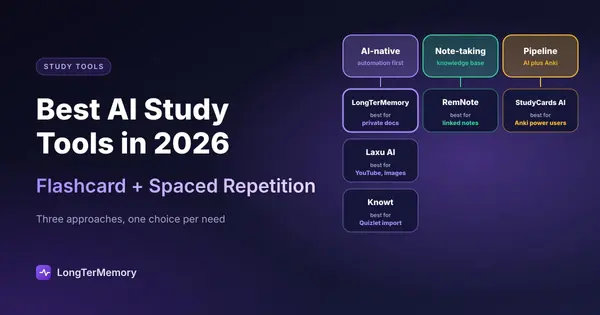
- Is writing cards your bottleneck? Use AI generation from your own files: LongTerMemory, Gizmo or Knowt. An AI flashcard generator saves the most time when your material is long; with PDFs, see how to turn a PDF into flashcards.
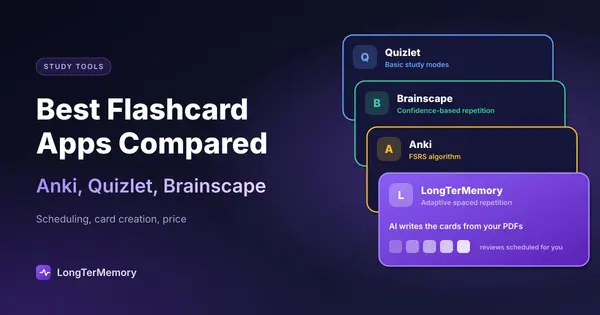
For tools beyond flashcards (AI tutors, research and note-taking apps), see our guide to the best AI study tools, and for a deeper look at the three classic apps, our flashcard app comparison of Anki, Quizlet and Brainscape. If scheduling is what matters most, compare the spaced repetition apps directly.
How to Move Your Quizlet Sets
- To Knowt: install its Chrome extension, open the set on Quizlet and import it with one click.
- To Gizmo: open a deck, choose Magic Import, pick Quizlet and paste the set’s URL.
- To Anki, Brainscape or RemNote: on the Quizlet website, open a set you created, use the export option to copy the terms as text, and import or paste that text in the new app. Export works only on the website and only for your own sets (copy a public set to your account first), and Knowt notes that it may now require a paid Quizlet plan.
A migration is also a good moment to clean up: delete cards you already know cold, split long cards into one fact per card, and rewrite definitions as questions. Shorter, sharper cards are easier to review.
Go Deeper
- LongTerMemory vs Anki vs RemNote for tech certifications
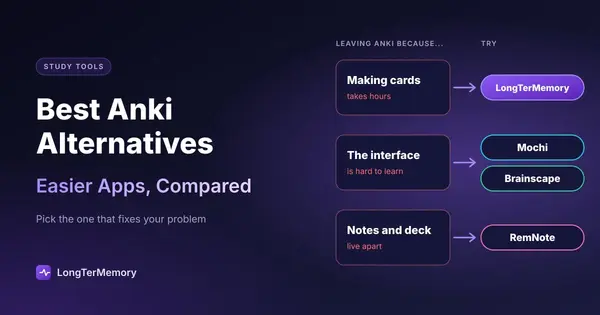
- The best Anki alternatives
- Turn Google Docs notes into flashcards
- How to study for exams, step by step
- Spaced review in the classroom, with or without Quizlet
- Anki, Quizlet and other tools for college students
FAQ
What is the best free alternative to Quizlet?
Anki if you want the strongest spaced repetition and don’t mind a learning curve; Knowt if you want something that looks and works like Quizlet, with free study modes and one-click import of your sets.
Does Quizlet have spaced repetition?
Learn mode adapts to your answers and repeats what you get wrong, but it isn’t a full spaced repetition scheduler that plans each card’s next review across weeks and months. For that, use Anki, Brainscape, RemNote, Gizmo or LongTerMemory.
Can I move my Quizlet flashcards to another app?
Yes. Knowt and Gizmo import sets directly; for other apps, export a set you created as text from the Quizlet website and import it in the new app.
Is Quizlet Plus worth it?
If you use Learn and practice tests every day and like Quizlet’s interface, $35.99 a year is modest, but check the monthly caps on the basic Plus plan. If you mainly need long-term retention or cards generated from your own material, an alternative from this list will do more for the money.
Which alternative is best for medical students?
Anki, because of its scheduler and the large shared decks maintained by medical students. If you’d rather generate cards from your own lecture slides and textbooks, LongTerMemory does that and schedules the reviews.
The Bottom Line
There’s no single best Quizlet replacement, only the best one for how you study. If you want Quizlet without the paywall, go to Knowt. If you want to remember for years, go to Anki. If you want the cards made for you from your own material and reviews scheduled automatically, try LongTerMemory: upload a chapter and see the questions it generates during the free trial.
Prices and features checked on the official sites and app listings in October 2026. Plans change often; we update this page regularly.