AI Flashcard Generator: Best Tools and How to Use Them
Compare the best AI flashcard generator tools, see how they turn PDFs and notes into cards, and check every card to save hours without losing accuracy.
Table of Contents
- How AI Flashcard Tools Work (and What They're Best At)
- Where AI flashcards shine
- Where they struggle
- Why Automating Card Creation Is Worth It
- Edit and Verify AI-Generated Cards Before You Study Them
- A five-point checklist for every card
- Common AI card problems and fixes
- Add what the AI can't
- A Simple Workflow You Can Start Today
- Best AI Flashcard Generators Compared
- How to choose
- What to Look For in Any AI Flashcard Generator
- Mistakes That Waste the Time You Just Saved
- Try It on One Chapter
- Go Deeper
- AI Flashcard Generator FAQ
- The Bottom Line
Making flashcards by hand is the study task everyone knows they should do and nobody wants to do. You read a chapter, then spend another hour typing questions into an app, and by the time the cards are ready you’re already tired. An AI flashcard generator (also called an AI flashcard maker) promises to skip that hour entirely.
Here’s the direct answer. An AI flashcard generator reads your notes, PDFs, or slides and automatically turns them into question-and-answer cards, which you can then review with spaced repetition. Used well, it can cut card-creation time from hours to minutes. Used carelessly, it can fill your deck with vague, duplicate, or even wrong cards. The difference is how you set it up and, above all, how you check the output.
This guide covers how these tools work, what they’re best at, how to edit and verify the cards, and how the leading platforms compare.
How AI Flashcard Tools Work (and What They’re Best At)
The core idea: a language model reads your source text, picks out the facts and concepts worth remembering, and rewrites them as questions with answers. Better tools add a retrieval step, so the answers come from your material rather than from the model’s general knowledge.
Behind the scenes, most generators follow a similar pipeline:
- Ingest: You upload a PDF, paste text, link a web page, or import slides.
- Chunk: The tool splits the material into sections small enough to analyze.
- Extract: A model identifies definitions, relationships, steps, dates, formulas, and cause-and-effect statements.
- Generate: It writes question-answer pairs, sometimes in several formats (basic, cloze deletion, multiple choice).
- Schedule: The cards enter a spaced repetition system that decides when you’ll see each one again.
The grounding step matters. Tools built on retrieval-augmented generation (RAG), which is the approach LongTerMemory uses, anchor each card to a passage of your uploaded material. That reduces the chance of invented facts, because the model is answering from text that’s actually in front of it.
Where AI flashcards shine
| Best use case | Why it works |
|---|---|
| Dense textbook chapters | Lots of definitions and relationships to convert quickly |
| Lecture slides and notes | Short, structured text with clear key points |
| Certification study guides | Large volume, mostly factual recall |
| Vocabulary and terminology | Many small, well-defined items |
| Review-book PDFs | Hundreds of pages you’d never card by hand |
Where they struggle
Be honest about the limits so you don’t get burned:
- Deep reasoning and problem solving. A card can test the formula, but not the skill of applying it. You still need practice problems.
- Messy or scanned source material. Poor OCR, handwriting, and complex diagrams often produce weak cards.
- Nuance and exceptions. Models tend to flatten “it depends” into a clean answer that’s too simple.
- Opinion and interpretation. Humanities material needs your own judgment about what matters.
Why Automating Card Creation Is Worth It
The core idea: the memory benefit comes from reviewing cards, not from typing them, so anything that saves creation time lets you spend more minutes on retrieval.
Retrieval practice and spaced repetition are among the most strongly supported techniques in learning research. A major 2013 review by Dunlosky and colleagues rated both practice testing and distributed practice as high-utility strategies, well above highlighting or re-reading. Spacing reviews over time also fights the forgetting curve first described by Ebbinghaus in the 1880s, in which memory fades fast without reinforcement.
A quick back-of-the-envelope calculation shows the stakes. Suppose you want 400 cards from a 150-page review book.
| Approach | Time to create | Time left for reviewing (from a 10-hour budget) |
|---|---|---|
| Manual typing at about 1.5 minutes per card | About 10 hours | Almost none |
| AI generation plus 20 minutes of editing | About 30 to 45 minutes | Over 9 hours |
Those are illustrative numbers, but the pattern is real: the hours you save on creation become hours of actual retrieval practice. If you want to see how spacing works under the hood, read our overview of the science of spaced repetition.
Edit and Verify AI-Generated Cards Before You Study Them
The core idea: treat AI cards as a first draft, never as a finished deck. A wrong card is worse than no card, because spaced repetition will drill the error into your memory with great efficiency.
Plan on a quick quality pass right after generation. It usually takes 15 to 30 minutes per 100 cards, and it’s the best investment in the whole workflow.
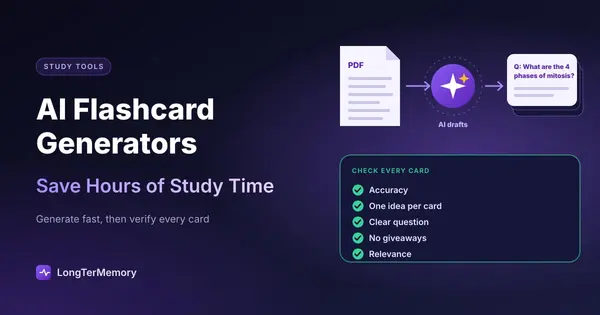
A five-point checklist for every card
- Accuracy. Does the answer match your source? Spot-check against the original text, especially numbers, dates, doses, thresholds, and legal or technical definitions.
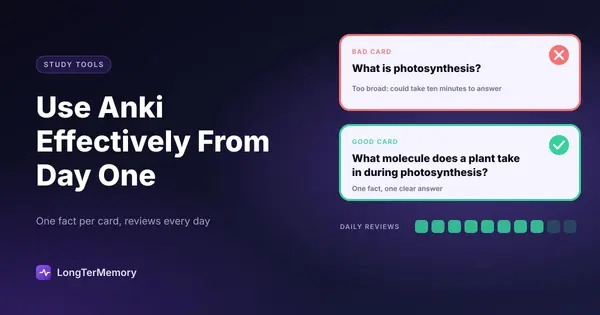
- One idea per card. If the answer has five parts, split it. Cards that ask for long lists are hard to grade honestly.
- Clear, specific question. “What is mitosis?” is vague. “What are the four phases of mitosis in order?” is testable.
- No giveaways. If the question contains the answer, the card tests reading, not recall.
- Relevance. Delete trivia the exam will never ask. Fewer, better cards beat a bloated deck.
Common AI card problems and fixes
| Problem | Example | Fix |
|---|---|---|
| Vague question | ”Explain the Krebs cycle.” | Rewrite as specific sub-questions |
| Duplicate cards | Same fact asked three ways | Keep the clearest one |
| Overlong answer | Full paragraph on the back | Shorten to the essential phrase |
| Wrong or unsupported fact | Number not in the source | Delete or correct, check the source |
| Out-of-scope content | Footnote trivia | Delete |
Add what the AI can’t
After the cleanup, add a handful of cards yourself. These are usually the most valuable ones:
- Mistake cards, built from questions you got wrong in practice tests.
- “Why” and “how” cards that force you to explain reasoning.
- Mnemonics or analogies that make sense to you personally.
- Cross-topic links, such as “How does X differ from Y?”
This hybrid approach, AI for volume and you for judgment, gives you the speed of automation and the precision of a hand-built deck. For more on writing good questions, see our guide to turning PDFs into flashcards and active recall techniques.
A Simple Workflow You Can Start Today
Here’s the routine I recommend to students who want to adopt AI flashcards without sacrificing quality.
- Prepare the source. Use clean, text-based PDFs or notes. Remove irrelevant pages like indexes and ads.
- Generate in chunks. Do one chapter or lecture at a time. Small batches are easier to verify.
- Review the draft deck. Apply the five-point checklist and delete anything weak.
- Study daily. Do your scheduled reviews every day, ideally in two short sessions rather than one long one.
- Maintain. Every time you miss a card repeatedly, rewrite it. A card you keep failing is usually poorly worded or too big.
- Combine with practice. Pair cards with past papers or practice problems so you also train application.
If you only have a short runway before your exam, our guide to exam preparation in two weeks shows how to slot this routine into a compressed schedule.
Best AI Flashcard Generators Compared
The core idea: the best tool depends on what you’re studying, how much material you have, and how much control you want. The market changes quickly, so features and pricing here are general patterns. Always confirm the current details on each product’s own site.
| Tool | Approach | Strength | Trade-off to consider |
|---|---|---|---|
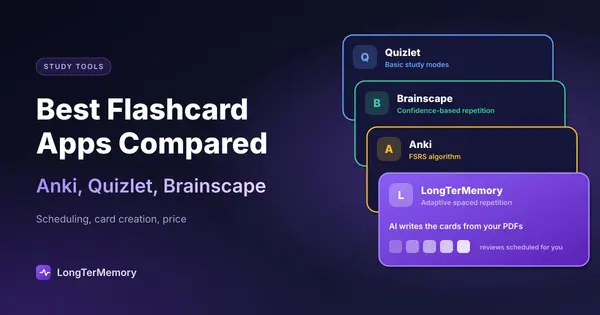
| LongTerMemory | Upload PDFs or web content, RAG-based Q&A generation, built-in spaced repetition scheduling | Turns large documents into cards quickly, with answers grounded in your own material | Focused on document-based study rather than a huge shared library of user-made decks |
| Anki | Manual card creation, community add-ons for AI generation | Highly customizable, free on desktop, mature scheduling | Steeper setup, AI features depend on third-party add-ons |
| Quizlet | Large shared library plus AI study tools | Easy sharing, familiar interface | Many AI and scheduling features sit behind subscriptions, and shared decks vary in quality |
| RemNote | Notes and flashcards in one workspace | Cards come directly from your notes | Learning curve for the note-taking system |
| General chatbots | Paste text, ask for cards, export manually | Flexible and cheap | No built-in scheduling, and no grounding unless you provide the source yourself |
How to choose
- You have big PDFs or review books: pick a tool that ingests documents directly and generates cards from the file. This is exactly where LongTerMemory is strongest.
- You want full control and don’t mind setup: Anki remains a classic. Our Anki vs LongTerMemory comparison lays out the trade-offs honestly. If you want something easier, see the best Anki alternatives.
- You study from shared decks or in groups: a platform with a big community library may suit you better. See our roundup of the best flashcard apps compared.
- You mostly take notes: an integrated notes-plus-cards workspace reduces friction.
For a broader overview of the category, our AI study tools comparison for 2026 covers more options.
What to Look For in Any AI Flashcard Generator
Before you commit your semester to a tool, run this quick evaluation. Upload one chapter you already know well and check:
- Accuracy: Are at least 90% of cards correct without edits?
- Coverage: Did it capture the key concepts, not just trivia?
- Editability: Can you edit, split, merge, and delete cards easily?
- Scheduling: Does it use a real spaced repetition algorithm, or just a shuffle?
- Source traceability: Can you see where a card came from in your material?
- Export and portability: Can you take your cards with you if you switch?
- Privacy: What does the tool do with your uploaded documents?
If a tool fails two or three of these, keep looking.
Mistakes That Waste the Time You Just Saved
- Never reviewing the deck. Generating 500 cards feels productive, but only reviewing them builds memory.
- Creating too many cards. A giant deck means a huge daily review load. Prune it.
- Trusting every answer. Always verify numbers and definitions in high-stakes subjects like medicine, law, and finance.
- Skipping active recall. Peeking at the answer after two seconds is passive review in disguise. Commit to an answer first.
- Using cards as your only study method. Combine them with practice problems, essays, or lab work as your subject requires.
Try It on One Chapter
The easiest way to find out if AI flashcards work for you is a small experiment. Pick one chapter, generate the cards, spend 20 minutes cleaning them up, and review them daily for a week. Then take a short quiz on that chapter and compare it to a chapter you studied the old way.
If you’d like to test it with your own material, you can try LongTerMemory for free. Upload a PDF, get a deck of Q&A cards, and let the spaced repetition scheduler handle when each card comes back.
Go Deeper
- Turn your Google Docs notes into a study system
- Flashcard apps that work with PDFs
- The best spaced repetition apps
- Quizlet alternatives worth trying
- LongTerMemory iOS app review
- Flashcards for legal case memorization
- Flashcards for science lab practical exams
AI Flashcard Generator FAQ
Are AI flashcard generators accurate? Mostly, for factual material from clean sources, but not always. Tools that ground each answer in your uploaded document make fewer mistakes than a general chatbot working from memory. Check numbers, dates, and definitions before you study a new deck.
Can an AI flashcard generator make cards from a PDF? Yes. Most tools accept PDFs, notes, and slides. Text-based PDFs give much better cards than scans or photos, because the tool can read every word reliably.
Is a chatbot like ChatGPT enough to make flashcards? It can write decent cards if you paste the source text, but it does not schedule reviews. You would still need to export the cards into a spaced repetition app, which is the part that actually builds long-term memory.
Should I still write some flashcards by hand? Yes, a few. Cards from your own mistakes, “why” and “how” questions, and personal mnemonics are the ones a generator can’t write for you, and they are often the most valuable in the deck.
The Bottom Line
AI flashcard generators are a genuine time saver, but they’re a draft machine, not an oracle. They handle the tedious part, converting pages into questions, so you can spend your hours on the part that actually builds memory: retrieving answers again and again over time.
Check every card for accuracy, keep each one focused on a single idea, add your own cards for the hard parts, and pair the deck with real practice. Do that, and you’ll get the best of both worlds: less time making cards, and more time remembering what’s on them.