How to Turn Lecture Slides Into Flashcards (PowerPoint or PDF)
Lecture slides make weak flashcards if you copy the bullets. How to turn PowerPoint or PDF slides into good cards, by hand or with AI, and review them.
Table of Contents
- Why Slides Make Poor Flashcards on Their Own
- Before You Start: Get the Right Files
- The Manual Method: Slide to Questions
- The AI Method: Upload the Deck
- Check the AI draft
- A Weekly Routine for a Lecture Course
- Common Mistakes
- FAQ
- Can I convert a PowerPoint into flashcards automatically?
- Is it better to use the PDF or the PowerPoint file?
- How many flashcards should I make per lecture?
- Can I make flashcards from diagrams on slides?
- What's the best app for lecture slides flashcards?
- The Bottom Line
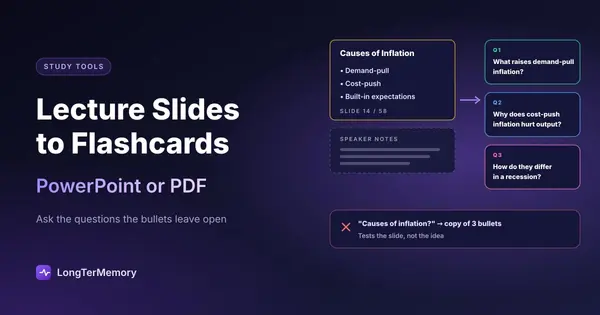
Short answer: don’t copy the bullets onto cards. Slides are the lecturer’s outline, not the explanation, so a card made from a bullet (“Causes of inflation: demand-pull”) tests whether you recognize the slide, not whether you understand it. Turn each slide into one to three questions instead (what is it, why does it happen, how does it differ from X), fill in the answers from the lecture, the speaker notes or the textbook, and review the cards with spaced repetition. AI tools can do the first draft from a PowerPoint or PDF in minutes; you still decide what matters and fix the answers.
Lecture slides are the most common study material at university and one of the worst sources of flashcards if you treat them as a list of facts. This guide shows how to get from a 60-slide deck to a set of cards you can actually learn from, by hand or with AI.
Why Slides Make Poor Flashcards on Their Own
Slides are designed to be spoken over. That leaves three gaps:
- Missing explanations. A bullet like “Krebs cycle: 2 ATP per glucose” gives the fact but not the reason. The reason was in what the lecturer said.
- Fragments, not questions. Bullets are keywords. A card needs a question that forces you to produce an answer.
- Diagrams without labels you can test. Half of a science lecture is figures, and a figure pasted on a card back isn’t a question.
So the work isn’t converting slides; it’s filling those gaps. Copying 60 slides into 60 cards gives you a deck that feels complete and teaches little, the same trap as rereading your notes.
Before You Start: Get the Right Files
- The original PowerPoint (.pptx) if you can. It keeps the text as real text and often includes speaker notes, which are the closest thing to the lecture’s explanation. Check the Notes pane under each slide.
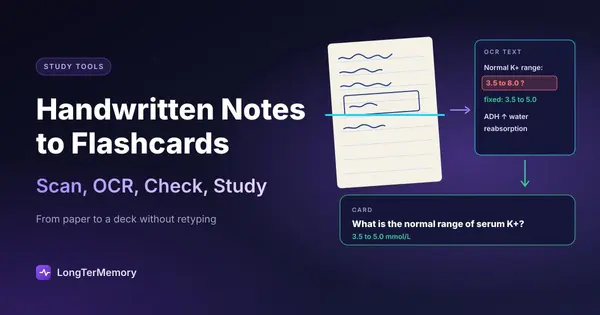
- The PDF export otherwise. If the slides are only on your course site as a PDF, that works too, as long as you can select the text. If you can’t, it’s an image and needs OCR first (see our guide on handwritten notes and scans).
- Your own lecture notes or the recording, for the parts that were only spoken. If you record lectures, our guide on building a deck from a lecture recording shows how to fill the gaps.
The Manual Method: Slide to Questions
Go through the deck once, slide by slide, and ask what an exam could ask about it.
| Slide content | Weak card | Better cards |
|---|---|---|
| Title + 3 bullets (“Types of memory: sensory, short-term, long-term”) | “Types of memory?” → list of 3 | ”What is the capacity of short-term memory?” / “What moves information from short-term to long-term memory?” |
| Definition on a slide | Copy the definition to the back | Ask for the term from its meaning, and add a “give an example” card |
| Process or cycle diagram | Picture on the back | One card per step: “What happens after X?” |
| Comparison table | ”Compare A and B” | One card per difference: “How does A differ from B in Y?” |
| Graph | ”Describe the graph" | "What happens to X when Y rises, and why?” |
Some rules of thumb:
- One to three cards per content slide. Title slides, agendas and “questions?” slides get none.
- Turn bullets into “why” and “how”. The bullet gives the “what”. The exam usually asks the “why”.
- Answers in your own words, short enough to say in one breath.
- Mark slides the lecturer stressed (“this will be on the exam”, repeated across lectures) and card those first.
For diagrams, image occlusion works better than any text card: you hide labels on the figure and recall them. Anki has it built in, and RemNote offers it in its PDF reader.
The AI Method: Upload the Deck
AI does the first draft much faster than you can, and slides are a good fit because they’re short and structured. Several tools accept slides directly:
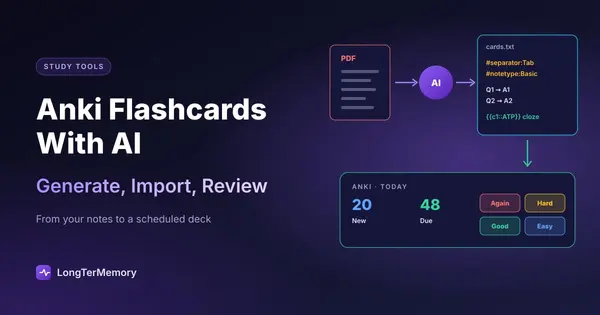
- LongTerMemory accepts PowerPoint (.ppt and .pptx) and PDF files, generates questions from the content of the slides, and schedules them with spaced repetition.
- RemNote converts .pptx files to PDF in its reader, where you can make cards from highlights or with AI Cards. See RemNote PDF to flashcards for the plan limits.
- Knowt turns PowerPoints, PDFs and notes into flashcards with its AI.
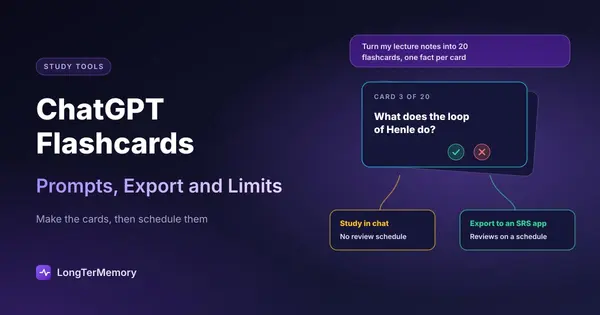
- General chatbots like ChatGPT accept slide files or their PDF export; ask for cards in a strict format. Our guide to ChatGPT flashcards has prompts that work.
Whichever you use, help it with context:
- Include the speaker notes. In PowerPoint, export as a PDF with notes pages, or paste the notes into the same upload.
- One lecture at a time. Smaller inputs give sharper cards and are easier to check.
- Tell it what to skip: agendas, learning objectives, references, “recap” slides that repeat earlier ones.
Check the AI draft
AI cards from slides have predictable problems. Fix them before your first review:
- Bullet-copy cards (“What are the three types of X?” with a list as the answer): split them, or turn them into “why” questions.
- Invented explanations. When a slide is only a keyword, the AI may fill in the missing context from general knowledge, which can differ from your lecturer’s version. Check those answers against the lecture or the textbook.
- Cards about the slide, not the topic (“What does slide 12 show?”). Delete them.
- Missing figures. Most text-based generators skip diagrams. Add image occlusion cards or a few “describe the steps of…” cards yourself.
The full checklist for AI cards is in our guide to the AI flashcard generator tools we’ve tested. For AI tools beyond flashcards, see our guide to the best AI tools for studying.
A Weekly Routine for a Lecture Course
- Same day as the lecture (20 minutes): generate or write the cards for that lecture, then fix the weak ones while the lecture is fresh.
- Every day (15 to 20 minutes): do your scheduled reviews. Spaced repetition decides which cards come back, so older lectures stay fresh while you add new ones.
- End of the week (30 minutes): one practice question per lecture, written or from past papers, to test whether you can use what’s on the cards. Anything you get wrong becomes a new card.
Spread over a semester, that’s how a course’s worth of slides becomes something you still remember at the final. The reason spacing works is in the science of spaced repetition.
Common Mistakes
- Waiting until the end of the semester to card 24 lectures. You’ll rush, skip the checking, and start reviewing too late for spacing to help.
- Carding every slide. Some slides are context, not content. A smaller deck you review daily beats a giant one you avoid.
- Ignoring what was said. If the lecture added an example or a warning that isn’t on the slide, it’s often exactly what the exam asks.
- Never looking at the slide again. When you miss a card twice, go back to the slide and the notes and rewrite the card. It’s usually unclear, not you.
FAQ
Can I convert a PowerPoint into flashcards automatically?
Yes. Tools like LongTerMemory, RemNote and Knowt accept PowerPoint files and generate cards with AI. Check the draft before studying: slides are terse, so AI cards often need their answers completed from the lecture.
Is it better to use the PDF or the PowerPoint file?
The PowerPoint file, if you have it, because it keeps the speaker notes. A PDF works as long as the text is selectable; if it isn’t, run OCR first.
How many flashcards should I make per lecture?
As a rough guide, one to three per content slide, which for a typical 50-minute lecture means 20 to 50 cards. Fewer, better cards are easier to keep up with than a card for every bullet.
Can I make flashcards from diagrams on slides?
Yes, with image occlusion: hide the labels and recall them. Anki has it built in and RemNote offers it in its PDF reader. Text-based AI generators usually skip diagrams.
What’s the best app for lecture slides flashcards?
It depends on what you need. For full control and free scheduling, Anki. For notes and cards linked to the slides, RemNote. To go from slides to scheduled questions in one step, an AI tool that accepts PowerPoint files. Our guide to PDF to flashcards compares the approaches.
The Bottom Line
Slides are an outline, so the cards you need are the questions the outline leaves open. Make one to three per slide, fill in the answers from the lecture, and review them daily. Let AI write the first draft if it saves you time, then fix it. To try that with your next lecture, upload the slides to LongTerMemory during the free 7-day trial: it generates the questions and schedules the reviews.
Supported file types checked on each tool’s site and help pages in October 2026.