ChatGPT Flashcards: How to Make Good Cards and Actually Review Them
ChatGPT now makes interactive flashcards from your notes. Here's how to get good cards, the prompts that work, and how to export them for spaced repetition.
Table of Contents
- How Flashcards in ChatGPT Work
- What ChatGPT Does Well (and Where It Stops)
- Prompts That Produce Good Cards
- The basic prompt
- For definitions and terminology
- For processes and cause-and-effect
- For exam-style practice
- Ask for the source
- Check the Cards Before You Study Them
- How to Review the Cards on a Schedule
- Option 1: Stay in ChatGPT and space it yourself
- Option 2: Export to Anki, Quizlet or another app
- Option 3: Use a tool that makes and schedules the cards
- ChatGPT vs Dedicated AI Flashcard Tools
- Common Mistakes
- FAQ
- Can ChatGPT make flashcards?
- Are ChatGPT flashcards free?
- Does ChatGPT use spaced repetition for flashcards?
- How do I export ChatGPT flashcards to Anki?
- Is ChatGPT better than Quizlet for flashcards?
- The Bottom Line
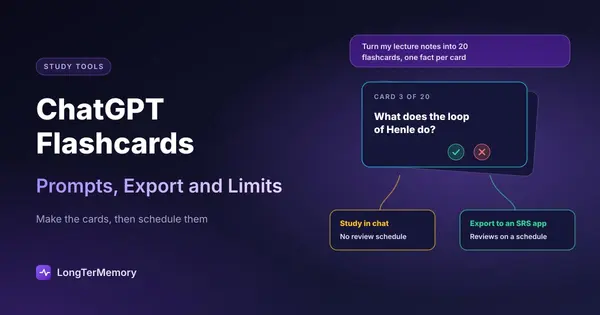
Short answer: yes, ChatGPT makes flashcards. Since September 2026 you can ask it for flashcards on a topic, or upload your notes and ask it to turn them into cards, and it shows an interactive deck right in the chat: you flip each card, mark it with a check or an X, shuffle, and find the deck later in your library. It works on the web and in the mobile apps on every plan, free included. What it doesn’t do, as of October 2026, is plan your reviews over days and weeks. For a test on Friday that’s fine. For anything you need to remember in a month, export the cards to a spaced repetition app.
This guide shows how to get cards worth studying (most bad decks come from vague prompts), the prompts we use, how to check the output, and the two ways to review the cards: inside ChatGPT, or on a real schedule. For what else ChatGPT and other assistants are good for when you study, see the best AI study tools.
How Flashcards in ChatGPT Work
OpenAI’s help center describes the feature in a few lines, and in practice it’s simple:
- Ask for cards. Type something like “Make flashcards on the causes of World War I”, or attach your notes (a PDF, a document, photos of handwritten pages) and ask ChatGPT to turn them into flashcards. For long documents, our PDF to flashcards guide covers how to split and check them.
- Study the deck in the chat. Each card shows a question; you flip it to see the answer, then select the check if you knew it or the X to practice it again. You can shuffle the order.
- Edit by asking. There’s no card editor: you ask ChatGPT to add, remove or rewrite cards in the conversation.
- Come back later. Decks are saved automatically in your library, which also shows which cards you know and which you don’t.
Before September 2026, “ChatGPT flashcards” meant asking for a list of questions and answers in plain text. That still works, and it’s still the best route when you want to move the cards into another app, as we’ll see below.
What ChatGPT Does Well (and Where It Stops)
| ChatGPT | A spaced repetition app | |
|---|---|---|
| Making cards from notes | Fast, flexible, good wording | Depends on the app: manual, or AI on paid plans |
| Studying a deck once | Yes, flip and mark | Yes |
| Remembering what you got wrong | Within the deck and library | Per card, across months |
| Deciding when each card comes back | Not documented | Core feature |
| Daily queue across subjects | No | Yes |
| Export | Ask for text and copy it | Usually text or app formats |
The gap is the second half of the table. Memory research is clear that when you review matters as much as what you review: a card reviewed after one day, then three, then eight, then twenty sticks far better than the same card reviewed five times tonight. That’s spaced repetition, and it needs an app that remembers each card’s history and schedules it. OpenAI’s help article doesn’t describe a review schedule for flashcards, so treat ChatGPT as a card maker and a quick drill tool, not as your long-term system. The science is in our guide to spaced repetition.
Prompts That Produce Good Cards
The quality of the deck depends almost entirely on the prompt. “Make flashcards from this” gives you cards that are too long, too vague or trivial. Be specific about the format, the size of each card and what to leave out.
The basic prompt
Turn the attached notes into flashcards for an exam. Rules: one fact or idea per card; questions that make me recall, not recognize; answers of 15 words or fewer; no card whose question contains its answer; skip examples, anecdotes and anything not in the notes. Make 20 cards, then list any important idea you couldn’t fit.
The last line matters: it tells you what the deck misses, so you can ask for a second batch.
For definitions and terminology
Make flashcards for every key term in these notes. Front: a question that asks for the term from its meaning (“What is the name for…?”). Back: the term and a one-line definition taken from the notes.
Asking from meaning to term is harder than term to meaning, and closer to what an exam does.
For processes and cause-and-effect
For each process in these notes, make one card per step (“What happens after X?”) and one card asking why the process matters. Don’t put a whole list on one card.
For exam-style practice
Write 10 short-answer questions in the style of a university exam on this chapter, with model answers of two or three sentences. Base every answer only on the attached text.
These are better as a weekly practice test than as daily flashcards; our guide to turning your notes into quiz questions goes further.
Ask for the source
Add “after each answer, quote the sentence from my notes it comes from” when the material is high-stakes (medicine, law, finance). It makes checking much faster and exposes answers that aren’t in your notes at all.
Check the Cards Before You Study Them
ChatGPT can make mistakes, and OpenAI’s own help article recommends checking cards against your notes before an exam. A wrong card is worse than a missing one: you’ll study it until you believe it.
A five-minute pass on every new deck:
- Spot-check numbers, dates and definitions against the source. These are the most common errors.
- Split any card with a list for an answer. “Name the five…” is hard to grade honestly; five cards are better.
- Delete trivia. If you can’t imagine the exam asking it, it’s costing you review time.
- Rewrite vague questions. “Explain photosynthesis” isn’t a flashcard. “What are the two stages of photosynthesis?” is.
- Add the cards only you can write: questions you got wrong in a practice test, and “why” questions about the parts you find confusing.
The same checklist works for any tool. We explain it in more detail in our guide to the AI flashcard generator tools we’ve tested.
How to Review the Cards on a Schedule
You have three options, from least to most effort.
Option 1: Stay in ChatGPT and space it yourself
Open the deck from your library again tomorrow, in three days and in a week, and study the cards you marked with the X first. This is better than nothing, but you’re the scheduler: you have to remember each deck and its dates, and nothing tells you when a card you knew last week is about to fade.
Option 2: Export to Anki, Quizlet or another app
Ask for the deck in a format other apps can import:
Give me these flashcards as plain text: one card per line, question and answer separated by a tab, no numbering and no extra text.
Copy the result into a .txt file (or paste it directly):
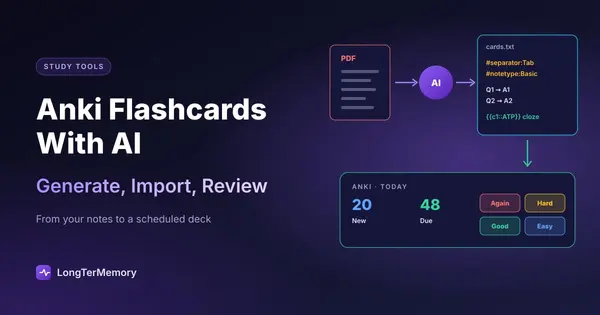
- Anki: File > Import and choose the file. Check that the separator is set to Tab and the fields map to Front and Back. Anki then schedules every card individually. Our step-by-step guide to making Anki cards with AI covers headers, cloze cards and decks. If Anki feels like too much, several Anki alternatives import the same kind of text file.
- Quizlet: when creating a set, use Import and paste the text; Quizlet asks which character separates term and definition. Keep in mind that Quizlet’s spacing is light, as we explain in does Quizlet have spaced repetition.
- Other apps: most accept the same tab-separated text. If the import complains, ask ChatGPT for comma-separated values with every field in quotes.
If you’re choosing where the cards should live, see the best spaced repetition apps compared on scheduling and price.
Option 3: Use a tool that makes and schedules the cards
Copying text between apps is fine for one chapter and tedious for a semester. Tools built for this read your files and schedule the questions in one place, so there’s nothing to export. That’s what LongTerMemory does: you upload your PDFs, slides and notes, it generates the questions from that material only, and it schedules every one with spaced repetition on the web and the iOS and Android apps. It doesn’t import ChatGPT decks, so it’s an alternative to this workflow rather than an add-on to it.
ChatGPT vs Dedicated AI Flashcard Tools
| ChatGPT | NotebookLM (Gemini Notebook) | Anki | LongTerMemory | |
|---|---|---|---|---|
| Makes cards from your files | Yes | Yes | No (add-ons or manual) | Yes |
| Answers grounded in your sources | When you attach them | Yes | You write them | Yes |
| Review schedule | Not documented | Not documented | Yes, SM-2 or FSRS | Yes |
| Export | Copy text | CSV download | Many formats | No |
| Price | Free plan works | Free plan works | Free (iOS $24.99) | 7-day trial, one-time plans from $48 |
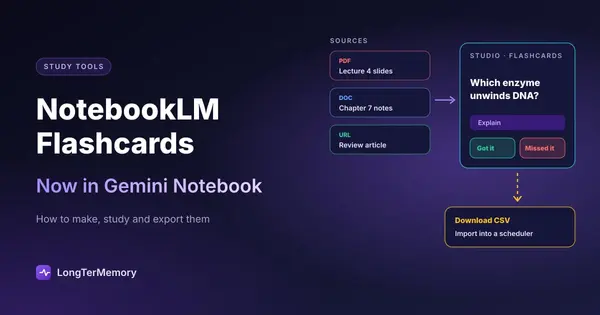
Google’s notebook tool has a similar flashcard feature with a CSV download; we cover it in NotebookLM flashcards.
Common Mistakes
- Asking for 100 cards at once. Long outputs drift: later cards get vaguer and repeat earlier ones. Generate 20 to 30 per batch, one section at a time.
- No source attached. Without your notes, ChatGPT writes cards from general knowledge, which may not match your course, your textbook’s definitions or your teacher’s emphasis.
- Studying the deck once. The deck feels mastered after one pass because the answers are fresh. The test is whether you still know them in a week.
- Recognition instead of recall. Flipping the card after two seconds and thinking “yes, I knew that” is rereading. Say or write the answer first, as in any active recall technique.
- Letting AI decide what matters. Keep the syllabus or past papers next to you and delete what’s out of scope.
FAQ
Can ChatGPT make flashcards?
Yes. You can ask for flashcards on a topic or upload notes and ask ChatGPT to turn them into an interactive deck, which you can flip, mark, shuffle and find later in your library. It’s available on web and mobile for all ChatGPT plans.
Are ChatGPT flashcards free?
OpenAI lists the feature as available on all ChatGPT plans, including the free one. Free plans have usage limits on messages and file uploads, so very large documents may need to be split.
Does ChatGPT use spaced repetition for flashcards?
OpenAI’s help article doesn’t describe a review schedule. The deck remembers which cards you marked as known, but for reviews planned over weeks, export the cards to a spaced repetition app.
How do I export ChatGPT flashcards to Anki?
Ask for the cards as plain text with a tab between question and answer, one card per line, save the text as a .txt file and use File > Import in Anki.
Is ChatGPT better than Quizlet for flashcards?
For making cards from your own notes, ChatGPT is faster. For studying them, Quizlet has more modes, and a dedicated scheduler like Anki has better long-term spacing than either. If you’re thinking of leaving Quizlet altogether, see the best Quizlet alternatives.
The Bottom Line
ChatGPT is now a quick, free way to turn notes into a deck and drill it once. The part that builds long-term memory, coming back to each card at the right time, still needs a scheduler. Make the cards in ChatGPT and export them, or use one tool that does both. If your material is a stack of PDFs and slides, try LongTerMemory free for 7 days: upload a chapter, check the questions it generates, and let it schedule the reviews.
ChatGPT features checked against OpenAI’s help center and release notes in October 2026. OpenAI updates ChatGPT often; we update this page when the flashcard feature changes.