Anki vs Quizlet (2026): Which Flashcard App Should You Use?
Anki vs Quizlet compared on spaced repetition, ease of use, price, mobile apps and shared decks, with a clear pick for each kind of student and exam.
Table of Contents
- Anki vs Quizlet at a Glance
- Spaced Repetition: The Real Difference
- Ease of Use
- Making Cards
- Price
- A Week With Each App
- Who Should Use Which
- Using Both Together
- FAQ
- Is Anki better than Quizlet?
- Is Anki really free?
- Can I import Quizlet sets into Anki?
- Why do medical students use Anki instead of Quizlet?
- Does Quizlet have spaced repetition like Anki?
- The Bottom Line
Short answer: use Quizlet when the test is days or weeks away, your class shares sets there, or you want something that works in five minutes. Use Anki when you need to remember thousands of facts for months or years (medicine, law, languages, professional exams): its spaced repetition scheduler is far stronger, it’s free on desktop and Android, and you control everything. Many students use both: Quizlet for quick shared sets, Anki for what has to last.
The two apps look similar (cards with a front and a back) but they’re built for different goals. Quizlet is optimized for getting through a set before a test; Anki is optimized for keeping every card in memory at the lowest number of reviews. This guide compares them on what decides the choice, with prices and features checked in October 2026.
Anki vs Quizlet at a Glance
| Anki | Quizlet | |
|---|---|---|
| Built for | Long-term retention | Fast studying for upcoming tests |
| Spaced repetition | Core feature, every card scheduled (SM-2, optional FSRS) | Optional in Flashcards, website only, no settings |
| Study modes | Review queue (flashcards), cloze, image occlusion | Flashcards, Learn, Test, Match, games |
| Ease of use | Steep learning curve | Easy from minute one |
| Shared content | Shared decks on AnkiWeb, huge for medicine and languages | The largest library of shared sets anywhere |
| Customization | Card templates, add-ons, scheduler settings | Little |
| Platforms | Windows, Mac, Linux, Android, iOS, web | Web, iOS, Android |
| Price | Free on desktop, Android and web; iOS app $24.99 once | Free with limits; Plus $35.99/yr; Plus Unlimited $44.99/yr |
| Offline | Yes | Plus only |
Spaced Repetition: The Real Difference
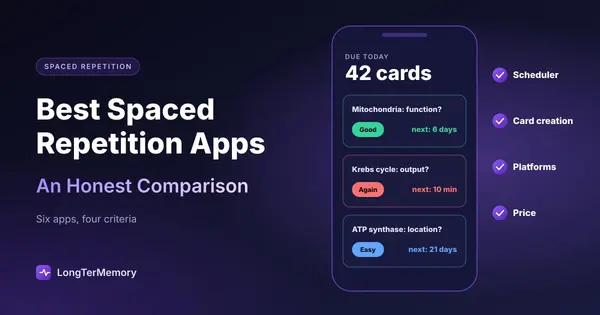
Anki schedules every card individually. After each review you press Again, Hard, Good or Easy, and Anki calculates the card’s next due date: maybe tomorrow, maybe in 40 days. Over months, cards you know well appear rarely and hard ones keep coming back. Since version 23.10 you can switch on FSRS, a modern scheduler that models your memory from your own review history and usually needs fewer reviews for the same retention. You can also set your target retention, daily limits and much more.
Quizlet’s spacing is lighter. Learn, the mode most people use, adapts within a study session but doesn’t plan reviews weeks ahead. Flashcards has a spaced repetition option on the website with four ratings, bringing cards back from minutes to four or more days later; it isn’t in the mobile apps and has nothing to configure. We explain the details in does Quizlet have spaced repetition.
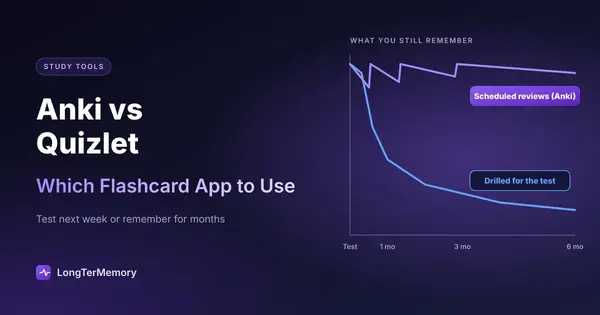
What that means in practice: for a quiz on Friday, the difference barely matters. For a cumulative final, a board exam or a language you want to speak in a year, it’s the whole game. The science behind it is in the science of spaced repetition.
Ease of Use
Quizlet wins clearly. You type terms and definitions, or open a shared set, and you’re studying. Learn and Test add variety without any setup.
Anki asks for an investment. Decks, note types, card templates, daily limits and the review buttons all take a few evenings to understand, and bad early settings (too many new cards a day, for example) can create a pile of reviews later. If you’re starting out, our guide on how to use Anki effectively from day one avoids the common mistakes.
Making Cards
Both apps expect you to write cards or use someone else’s.
- Quizlet has the biggest library of shared sets. For standard courses (intro biology, AP history, vocabulary lists) you’ll often find a good set in seconds. Quality varies, and a stranger’s set covers their syllabus, not yours. AI tools to build sets from your notes are mostly on paid plans.
- Anki has fewer but deeper shared decks, some maintained for years by medical students and language learners. Its card types are more powerful: cloze deletions (fill in the blank inside a sentence) and image occlusion (hide labels on a diagram) are built in.
If writing cards from your own material is what eats your evenings, neither app solves it. An AI flashcard generator that reads your PDFs and notes is the faster route; see how to turn a PDF into flashcards.
Price
| You want | Anki | Quizlet |
|---|---|---|
| Unlimited flashcard review | Free | Free |
| Unlimited quiz-style modes | Free (review queue) | Plus Unlimited, $44.99/yr |
| Study on iPhone | $24.99 once | Free app; caps on Learn and tests |
| No ads | No ads anywhere | Plus, $35.99/yr |
| Offline | Free | Plus |
Over a four-year degree, Anki costs $0 to $24.99 in total. Quizlet costs $0 if the free limits are enough, and $144 to $180 if you pay every year. For what you get with each plan, see is Quizlet Plus worth it.
A Week With Each App
The difference is easiest to see in a normal week of studying the same 300 biology terms.
With Quizlet, you open the set on Monday and run Learn until you get through it, maybe 40 minutes. On Tuesday you do it again, a bit faster. By Thursday the set feels familiar and you take a practice test. The work is front-loaded and visible, and it peaks right before the test. A month later, unless you come back on your own, most of the set has faded.
With Anki, you add the 300 cards and study 30 new ones a day, plus whatever is due. Monday takes 15 minutes, Thursday 25, because older cards start coming back. The daily load stays modest, and the cards keep returning at growing intervals for months, so the material is still there at the final. The cost is discipline: if you skip a week, the reviews pile up.
Neither approach is wrong. Quizlet matches how most students study for a single test; Anki matches how memory actually works over months. Choose the one that fits the deadline you’re studying for.
Who Should Use Which
| Your situation | Pick |
|---|---|
| Test this week, class shares sets on Quizlet | Quizlet |
| Medical school, USMLE, nursing boards | Anki |
| Learning a language over months or years | Anki |
| Bar exam or professional certification | Anki (or a scheduler that makes the cards for you) |
| High school course, light use | Quizlet |
| Teacher running live class games | Quizlet |
| You want zero setup and no subscription | Quizlet free, within the limits |
| You want full control over reviews | Anki |
Using Both Together
A common setup: find or make a set in Quizlet, drill it with Learn while the topic is fresh, then move the cards you need to keep into Anki for long-term review. To move a set you created, use the text export on the Quizlet website and import the file into Anki. If export isn’t available on your account, apps like Knowt import Quizlet sets directly; our Quizlet vs Knowt comparison covers that route.
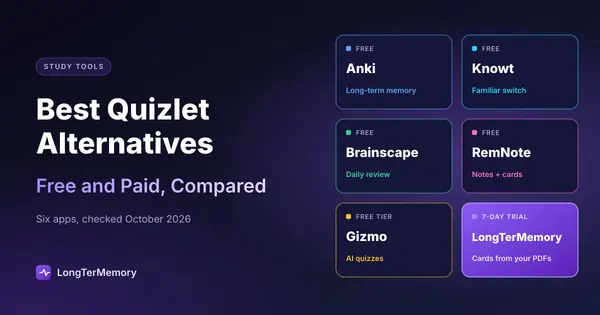
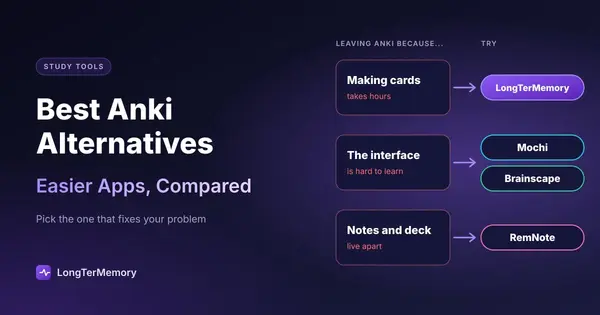
If neither app fits, the best Quizlet alternatives and the best Anki alternatives compare the options in between, from Brainscape to RemNote.
FAQ
Is Anki better than Quizlet?
For long-term memory, yes: Anki’s scheduler plans every card’s review for months and you can tune it. Quizlet is better for ease of use, shared sets and studying quickly for a near test.
Is Anki really free?
Yes on Windows, Mac, Linux, Android and the web, with free sync through AnkiWeb. The iOS app, AnkiMobile, is a one-time purchase of $24.99 that funds development.
Can I import Quizlet sets into Anki?
Yes, for sets you created: export them as text from the Quizlet website, then import the text file in Anki and match the separators between term and definition.
Why do medical students use Anki instead of Quizlet?
Because they need to retain tens of thousands of facts for years, and Anki’s scheduling makes that possible with daily reviews. Large shared decks built for board exams also live on Anki.
Does Quizlet have spaced repetition like Anki?
A lighter version: a spaced repetition option in Flashcards on the website, with four ratings and no settings. Anki’s scheduler is far more complete.
The Bottom Line
Quizlet is the faster start; Anki is the better memory. Pick by how long you need to remember, not by which app looks nicer. And if the slowest part of your week is writing the cards in the first place, try LongTerMemory free for 7 days: it generates questions from your own PDFs and notes and schedules the reviews, so you get Anki-style retention without building the deck by hand.
Features and prices checked on the official Anki and Quizlet pages and app listings in October 2026. Both apps change; check before you buy.