Anki vs RemNote (2026): Which Is Better for Spaced Repetition?
Anki vs RemNote compared on scheduling, notes, card creation, Anki deck import, AI and price, with a clear pick for medical students, languages and courses.
Table of Contents
- Anki vs RemNote at a Glance
- Scheduling: A Tie With Different Defaults
- Making Cards: Separate Deck vs Cards in Your Notes
- PDFs and Lecture Material
- Shared Decks and Community
- Price
- Who Should Choose Which
- Switching From Anki to RemNote
- A Common Mistake When Choosing
- Where Both Fall Short
- FAQ
- Is RemNote better than Anki?
- Can RemNote import Anki decks?
- Does RemNote use FSRS like Anki?
- Is RemNote free?
- Which is better for medical students?
- The Bottom Line
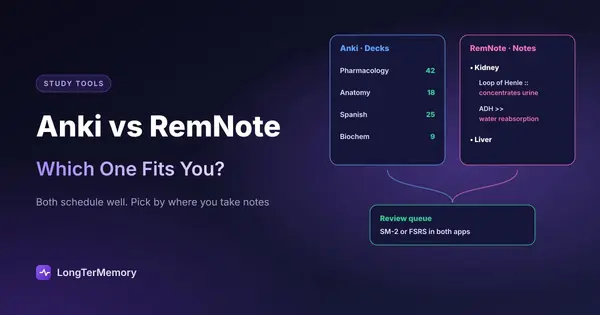
Short answer: both have excellent schedulers (each offers FSRS), so the choice comes down to how you take notes. Pick Anki if you want a dedicated flashcard tool: free on desktop, Android and the web, the largest shared decks, every card type you could want and thousands of add-ons. Pick RemNote if you want your notes and flashcards in one place, with cards written inside your notes, linked to their source and to each other, plus PDF annotation and an exam scheduler. RemNote also imports Anki decks, so moving over doesn’t mean starting again.
People searching “Anki vs RemNote” are usually Anki users tired of maintaining a separate deck, or RemNote users wondering whether Anki’s power is worth the switch. This guide compares them on what actually decides the choice, with features and prices checked on the official sites in October 2026.
Anki vs RemNote at a Glance
| Anki | RemNote | |
|---|---|---|
| What it is | Dedicated flashcard and scheduling app | Notes and flashcards in one linked system |
| Scheduler | SM-2 by default, FSRS optional | SM-2 by default, FSRS optional, custom schedulers |
| Card creation | Separate card editor, note types, templates | Inside your notes with a short syntax (::, >>) |
| Card types | Basic, reversed, cloze, image occlusion, custom | Basic, multi-line, cloze, image occlusion, concepts |
| Notes | None (cards only) | Full editor, backlinks, references, PDF reader |
| Shared decks | Huge library on AnkiWeb | Smaller; imports Anki decks |
| Extensions | Thousands of add-ons (desktop) | Plugins |
| Exam planning | Through add-ons or settings | Exam scheduler (one exam on the free plan) |
| AI | Add-ons or outside tools | 250 AI credits a month free; more on paid plans |
| Offline | Yes | Offline mode |
| Platforms | Windows, Mac, Linux, Android, iOS, web | Web, desktop, iOS, Android |
| Price | Free; iOS app $24.99 once | Free; Pro $96/yr; Pro with AI $216/yr |
Scheduling: A Tie With Different Defaults
Both apps schedule every card individually, both use SM-2 by default, and both let you switch to FSRS, the newer algorithm that predicts how likely you are to remember each card and usually needs fewer reviews for the same retention. If scheduling quality is your main criterion, you won’t go wrong with either. We explain the two algorithms in FSRS vs SM-2.
The differences are around the edges:
- Anki exposes more settings (desired retention, steps, limits per preset) and FSRS can be optimized on your own history from the deck options.
- RemNote adds an exam scheduler: you set an exam date and RemNote plans reviews around it, which is handy when a course has a hard deadline. The free plan includes one exam.
Making Cards: Separate Deck vs Cards in Your Notes
This is the real difference.
In Anki, you open the card editor, choose a note type, and fill the fields. Your notes (in a notebook, Word, Notion) live somewhere else. That separation is clean, and it’s why Anki decks are easy to share, but it means two systems to maintain: when you update your notes, the cards don’t follow.
In RemNote, you write your lecture notes as usual, and any line becomes a card with a short marker: Loop of Henle :: concentrates urine creates a card, and the card stays where you wrote it, under its heading, linked to related concepts. When you miss a card, you see its context immediately. Over a semester, your notes and your deck are the same thing. The trade-off is learning RemNote’s editor and syntax, which takes a few evenings. Our guide to using RemNote for notes and flashcards walks through it.
Rule of thumb: if you already take good notes elsewhere and like it, Anki fits around them. If you’d happily move your note-taking into one app, RemNote saves you the double work.
PDFs and Lecture Material
RemNote has a built-in PDF reader: you highlight a passage, write a card next to it in the notes pane, or ask its AI for suggested cards. The free plan allows 3 annotated PDFs; Pro removes the limit. We cover the details in RemNote PDF to flashcards. The general method for any app is in our guide to turning a PDF into flashcards.
Anki has nothing comparable built in. You read the PDF elsewhere and write cards in Anki, or generate them with AI and import them; see how to make Anki flashcards with AI.
Shared Decks and Community
Anki is unmatched here. For medicine, language learning and some professional exams, AnkiWeb has free community decks with tens of thousands of cards, maintained for years. Add-ons extend Anki in almost every direction.
RemNote’s community content is smaller, but it imports Anki .apkg decks, so you can use a popular Anki deck inside RemNote. Complex Anki templates and some add-on features may not carry over cleanly.
Price
| You want | Anki | RemNote |
|---|---|---|
| Unlimited cards and spaced repetition | Free | Free |
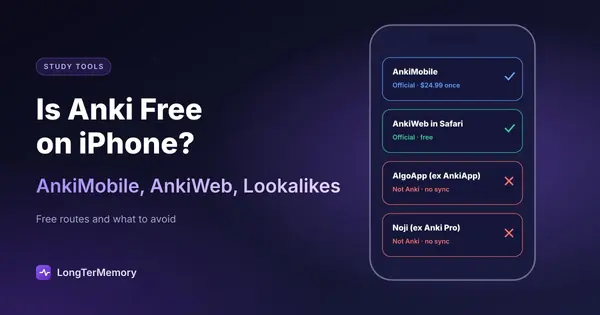
| Study on iPhone | $24.99 once (AnkiMobile) | Free app |
| Unlimited PDF annotation | n/a | Pro, $96/yr ($8/mo) |
| Heavy AI use on your files | Outside tools | Pro with AI, $216/yr ($18/mo) |
For pure flashcard study, both are free except for Anki on iPhone. RemNote costs money once you rely on PDFs or AI. If the iPhone price is your concern, see is Anki free on iPhone.
Who Should Choose Which
| Your situation | Pick |
|---|---|
| Medical school with a community deck (AnKing-style) | Anki |
| You take notes digitally and want them to become cards | RemNote |
| Language learning with shared decks | Anki |
| A university course with lecture PDFs | RemNote |
| You want the most control over the scheduler | Anki |
| You want an exam date to drive your reviews | RemNote |
| You want a free iPhone app | RemNote |
| You rely on specific Anki add-ons | Anki |
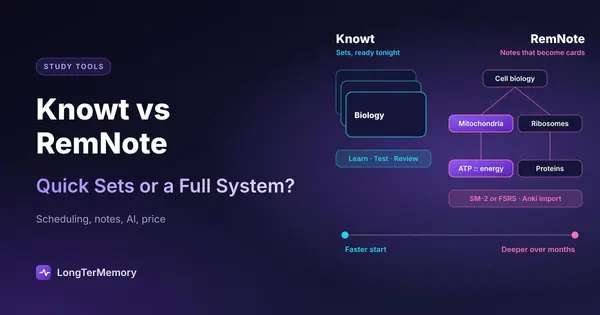
For more options beyond these two, see the best Anki alternatives and, if Knowt is also on your list, Knowt vs RemNote. Technical learners can also read our three-way comparison of Anki, RemNote and LongTerMemory for developers. All the main schedulers are compared in our guide to the best spaced repetition apps.
Switching From Anki to RemNote
- In Anki, export the deck as Anki Deck Package (.apkg), with scheduling information if you want to keep it.
- In RemNote, use the Anki import and choose the file.
- Check a sample of cards: basic and cloze cards usually come over well; complex templates may need cleanup.
- Run a week of reviews before deleting anything in Anki.
Going the other way, from RemNote to Anki, generally means exporting as text and importing in Anki, and you lose the links between notes.
A Common Mistake When Choosing
Many students pick by features and then never use half of them. The question that actually predicts which app you’ll stick with is simpler: where do you write things down during a lecture? If the answer is a paper notebook or another app you like, Anki fits beside it and you’ll only open it to review. If the answer is “wherever, and I never look at my notes again”, RemNote can become the single place for both, as long as you give its editor a couple of weeks. Choosing RemNote and then keeping your real notes elsewhere gives you the learning curve without the benefit.
Where Both Fall Short
Anki and RemNote both assume you’ll write the cards, card by card or line by line. With a stack of lecture PDFs and a few weeks before the exam, that’s the bottleneck, not the scheduler. LongTerMemory takes a different approach: it reads your PDFs, slides and notes, generates questions from them and schedules the reviews on the web, iOS and Android. It doesn’t do note-taking or import Anki decks, so it’s an alternative for the card-writing problem, not a replacement for RemNote’s notes or Anki’s shared decks.
FAQ
Is RemNote better than Anki?
For combining notes and flashcards, yes. For shared decks, add-ons and fine control over the scheduler, Anki is stronger. Both offer FSRS, so scheduling quality is similar.
Can RemNote import Anki decks?
Yes. RemNote imports Anki .apkg files. Basic and cloze cards transfer well; complex templates may need cleanup.
Does RemNote use FSRS like Anki?
Both use SM-2 by default and let you switch to FSRS. RemNote also supports custom schedulers and an exam scheduler.
Is RemNote free?
Yes, with unlimited notes and flashcards synced on all devices. Limits apply to PDF annotation (3 PDFs), AI credits (250 a month) and the exam scheduler (one exam). Pro costs $96 a year and Pro with AI $216 a year.
Which is better for medical students?
Most medical students use Anki, because the big community decks are built for it. RemNote suits students who build their own cards from lectures and want them inside their notes.
The Bottom Line
Anki is the best dedicated flashcard tool; RemNote is the best place to keep notes and flashcards together. Both schedule well. Choose by where your notes live. And if writing the cards is what you never have time for, try LongTerMemory free for 7 days: upload a chapter and it generates the questions and schedules the reviews.
Features and prices checked on remnote.com, the Anki manual and the app stores in October 2026.